
YouTube A/B Testing: Build a Better Title and Thumbnail

YouTube A/B testing lets you compare different titles, thumbnails or combinations for the same video. The native tool supports up to three options and evaluates their watch time. It can help you choose how to present a video, but the useful work starts before you click the testing button.
You need alternatives that express different reasons to watch while accurately describing the content. Changing a tiny border or replacing “tips” with “advice” may produce three files without producing three useful ideas.
Decide what you want the test to teach you
There are two reasonable goals. You might want to learn whether a particular image communicates the subject more clearly. Or you might want to choose between complete title-and-thumbnail packages. Those are different questions.
For the first, keep the title stable and change the image concept. For the second, build each title and image together. If a complete package performs better, you can choose it, but you cannot confidently credit the wording alone when the picture changed too.
Write the question in one sentence before opening your design tool. “Does showing the finished storage wall explain this tutorial better than showing the pile of tools?” gives you a useful design brief. “Which thumbnail looks more professional?” leaves too much to personal taste.
Build options around the video’s actual value
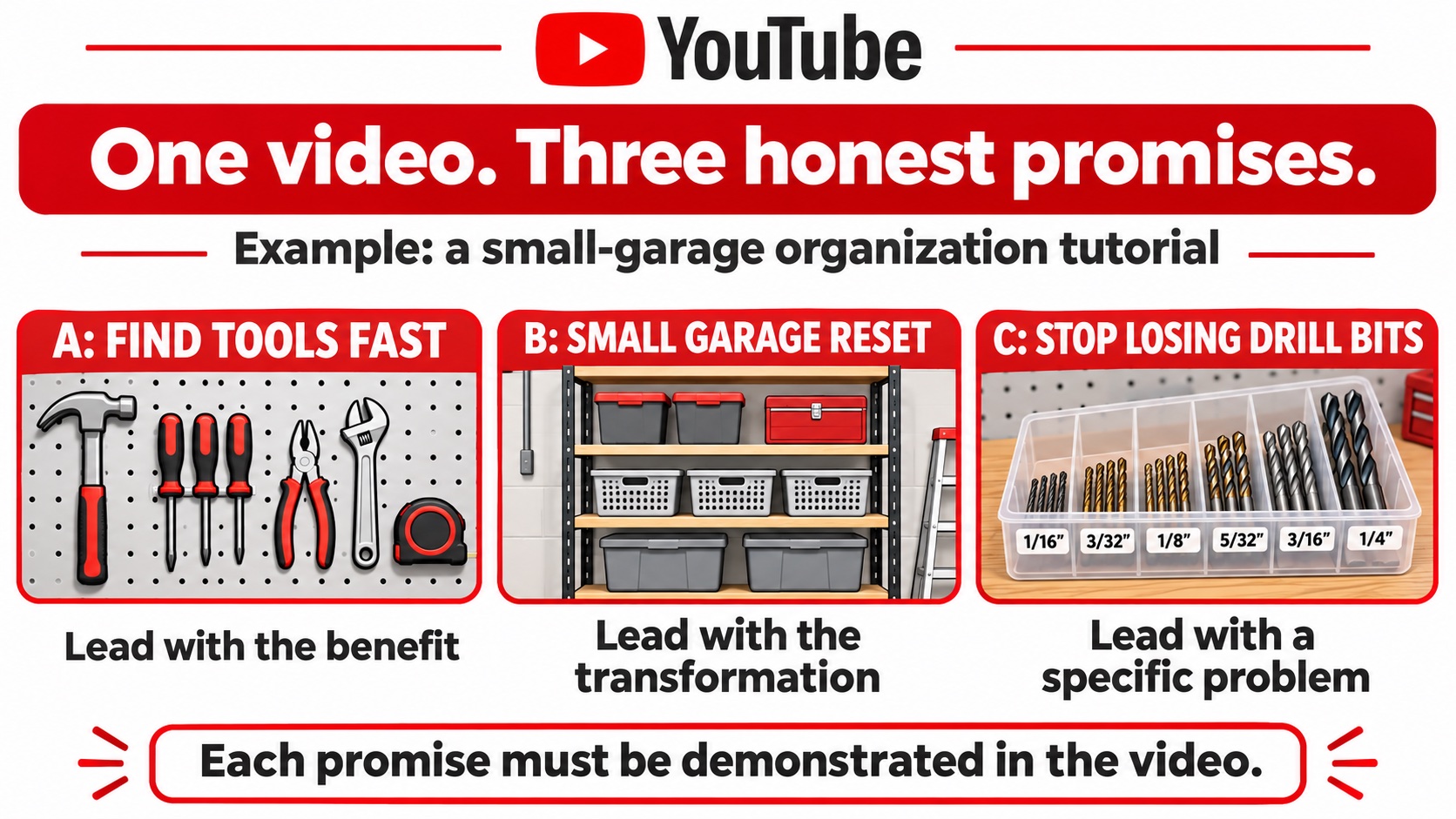
Consider a hypothetical tutorial about organizing a small garage. The video demonstrates a tool wall, shelf storage and a drill-bit tray. Three possible directions are:
- Find tools fast: show the organized wall and emphasize the everyday benefit.
- Small garage reset: show the shelf arrangement and emphasize the transformation.
- Stop losing drill bits: show the tray and emphasize one specific frustration.
Each direction should be supported by something substantial in the video. If the drill-bit tray appears for only a moment, making it the entire promise may attract someone expecting a detailed tray tutorial. A more focused thumbnail is not automatically a more accurate one.
Choose a clear focal point for each version. Remove background objects that do not help explain the promise. Then view the image small, beside its title. The two elements should supply complementary information instead of repeating the same long sentence.
This is a creative example, not a prediction that any option will win. Your audience and the content itself determine which interpretation proves useful.
Run a promise check before the test
Watch the opening of the video with each proposed title in mind. Does the introduction acknowledge that promise? Can a viewer tell what they will learn without waiting through unrelated housekeeping?
Next, find the section that delivers the promised result. If you cannot point to it, revise the title or choose a different concept. The testing tool cannot repair a mismatch between an attractive promise and an incomplete video.
For the garage example, “Organize Any Garage in Ten Minutes” would require evidence the tutorial does not provide. “A Storage Layout for a Small Garage” makes a narrower, supportable promise. The second may be less dramatic, but it gives the right viewer a clearer expectation.
Ask a teammate to describe what they expect from the image and title before showing them the video. Their answer is a comprehension check, not a substitute for audience data. It can catch an obvious misunderstanding before you spend time testing it.
Start the native test in YouTube Studio
YouTube’s current instructions require a computer, advanced features and an eligible video. Shorts, private videos and certain restricted categories are excluded. Check that eligibility list if the control is missing.
Open the video in Studio, choose A/B Testing near the title or thumbnail, select the element to test, add your options and choose Done. Changing the title or thumbnail during a running test stops it. Coordinate with anyone else managing the channel so routine editing does not interrupt the experiment.
Give each file a clear internal name, such as garage-benefit or garage-tray. Keep those names in your notes beside the corresponding wording. Similar export filenames make it surprisingly easy to discuss one concept while reviewing another.
Read the verdict without inventing a rule
Review the test in the video’s Analytics, under Reach. YouTube reports Winner, Performed Same or Inconclusive based on watch time share. A test can take up to two weeks. Do not assume the first apparent lead is the final verdict.
A result belongs to these options, this video and the audience that encountered it. If the organized wall wins, you have evidence for that presentation here. You have not established that every future thumbnail needs a wall, a particular color or exactly three words.
If there is no clear difference, choose the option that communicates the content most honestly and fits the channel. Then decide whether a substantially different concept is worth testing later. Repeating nearly identical versions can consume design time without answering a new question.
Keep a short test log with the video, question, options, dates, verdict and final choice. Add a sentence about anything unusual, such as a promotion or an unrelated channel announcement. This does not establish why a result occurred. It gives the next person reviewing your creative work enough context to understand what you tested and avoid repeating the same comparison without purpose.
Keep promotion and creative conclusions separate
If your broader plan includes researching where to buy cheap YouTube views, compare the available packages with the video you actually want to support. Boost Social Media offers views for public YouTube videos, with package details on the service page.
Keep a record of promotional activity alongside the test dates. A purchased view count is not evidence that a thumbnail won the experiment, and it should not replace YouTube’s test report. The title, opening and useful content still need to work together for viewers who choose to watch.
Save the final creative choice with one practical lesson: what changed, what the report showed and what you will try next. That note is more useful for the next upload than a folder full of unexplained winning graphics.