Choose a TikTok video saves package for a public post, then identify the video from the account you enter. You can check the total before paying, and no TikTok password is needed.
Reviewed by the Boost Social Media team ·Updated September 2026
✓ Public content✓ No password✓ Clear packages✓ Secure checkout
Trusted by 100,000+ customers since 2016100K+ customersSecure checkout PayVISA₿ Crypto
● TikTok Saves packages available
Clear package pricing
Choose your Saves package
Pick a package or enter an exact amount. You will confirm the TikTok video before checkout.
Custom amounts from 50 to 10,000 are charged at the next package price. Enter an exact amount to see the total.
★★★★★100,000+ orders · 100M+ engagements delivered since 2016100K+ orders · 100M+ engagements · Since 2016Trusted
How it works
From package to checkout
Compare packagesPick a quantity and see its price above.
Enter the accountProvide the public TikTok username you want to use.
Choose the videoSelect the eligible public post and review the order.
Before you order
A save is a different signal from a like or view
People often save content they want to return to, such as a recipe, a useful tip, or a product idea. TikTok saves are also described as favorites or bookmarks. This package focuses on that action for the selected video; it does not guarantee repeat viewing or recommendations.
Check the post before checkout
The account and video must be available publicly. Use the video selector to avoid choosing the wrong upload when several posts have similar covers. Compare package totals above, then confirm the selected video and quantity in the order flow.
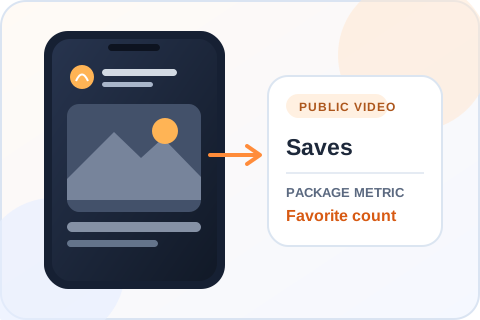
Where the save package goesThe package applies to favorites on the selected video, not file downloads.
Buying guide
When TikTok saves make sense
Saves, also called favorites, are most meaningful on a post someone might want to find again.
Choose a post with a reason to return
A recipe, checklist, route, product comparison or short lesson gives viewers something specific to revisit. Check that the video remains useful without a long explanation elsewhere on your profile. A save package changes the selected metric; it does not make the content useful by itself.
Favorites are not file downloads
Saving a TikTok to favorites keeps it easy to find in the app. Downloading makes a copy on a device when the creator’s settings allow it. These are separate actions and separate services, so choose the one that matches what you intend to measure.
Use your own post analytics
After the order, inspect the selected video in your creator analytics if the save metric is available for that account. Compare it with shares, views and comments rather than treating all engagement as one total. The account and video must stay public while the order is processed.
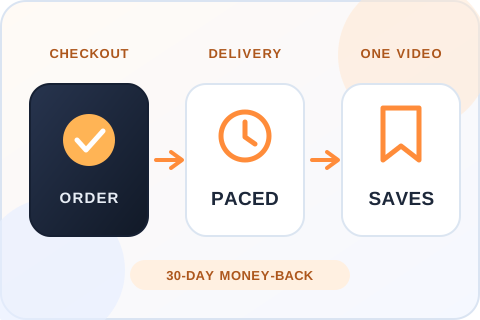
From checkout to the save countDelivery starts within 20 minutes of checkout and is paced, not sent in one burst. If you’re not satisfied, you can ask for your money back within 30 days.
Choosing the right order
Choose a video people might want to find again
Pick a useful reference
A short tutorial, recipe, checklist or comparison gives a viewer a reason to return to a post. Select the exact public video after entering the username. The package concerns TikTok saves or favorites; the post itself still needs to be worth revisiting.
Do not confuse saves with downloads
A favorite keeps a video accessible in TikTok. A download saves a copy to a device when the creator allows it. The two actions have different meanings and separate pages here. Check the chosen video’s analytics for the measure you care about, instead of treating all engagement as one number.
After you order
Delivery, safety and refunds for TikTok saves
When delivery starts
Delivery starts within 20 minutes of checkout. That is the start, not the finish. Larger packages are paced over a longer window, so the save count climbs and does not jump. Once delivered, the saves don’t drop.
What the order needs
A public username, the video you select and an email for the receipt. No password and no login code. If the video is removed or made private, the order cannot reach it.
30-day money-back guarantee
If you’re not satisfied with the order, ask for a refund within 30 days of purchase. Support can start the request for you, and the terms are on our Refund Policy page.
If the count doesn’t look right
Confirm you’re looking at the video you selected at checkout and allow for processing. If it still looks wrong, send support the order reference and the video link. Support is available 24/7. Please don’t place a duplicate order to fix it.
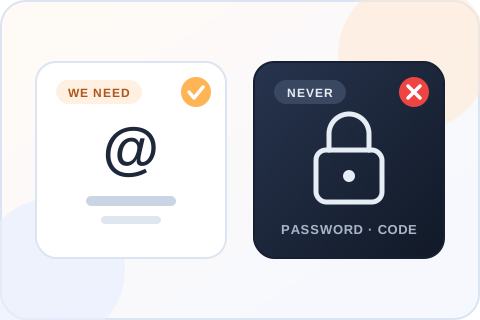
What the order needs, and what it never needsA public username, the video you select and an email for the receipt. Never a password or a login code.
Practical buying advice
Choose a TikTok saves package for a post worth revisiting
A favorite makes a video easier to find again inside TikTok. That is different from a device download or a like.
Pick a post with lasting use
A recipe, route, checklist, short lesson or product comparison gives a visitor a concrete reason to come back. Watch the clip and ask whether it still helps someone a week later. If the useful detail exists only in a disappearing caption or a comment that may be buried, the post may need editing before you choose it.
This package changes the save or favorite count on the selected public video. It cannot make an unhelpful post worth keeping. Choose the exact upload after entering the username; similar thumbnails can otherwise send the order to the wrong version.
Separate in-app saves from files
A TikTok favorite keeps a post in the app for later. A download creates a copy on a device when the creator’s settings permit it. Those actions are sold as separate services here. If your aim is to see a bookmark-style metric, choose saves. If you mean file downloads, inspect the video’s download eligibility and use the downloads page instead.
Neither number tells you why someone saved or downloaded a video. It also does not promise future views, purchases or recommendations. Use your own post analytics to understand the rest of the response, and avoid combining different metrics into one claim.
Select the amount deliberately
Compare the public video’s existing save activity with the package sizes. Choose a count that fits the post and your budget. The price panel shows the actual total before you continue. An exact whole number between listed tiers can be entered through Custom, with the next tier’s price applied.
Write down the starting count and keep the order reference. If you are publishing a series of similar tips, place the order on the specific episode you want people to return to, not simply the latest post. The selector gives you a chance to confirm that choice before checkout.
Use the result to improve the next post
Look at which parts of your content genuinely help an audience return. A clear title on screen, a useful summary near the end and a caption that explains what the viewer will learn can make a reference video easier to use. These are creative decisions outside the purchased quantity.
After processing, check saves alongside views, shares and comments in your analytics if available. A high save count with little discussion may fit a quiet reference post; another format may invite more conversation. Read each signal for what it measures instead of treating one counter as proof of broad engagement.
Make the useful part easy to find
For a tutorial, name the result early and show the steps in an order someone can follow later. For a product comparison, put the criteria on screen instead of relying on a spoken list that is hard to revisit. For a route or recipe, a concise caption can help the post make sense when someone returns to it days later.
Those improvements make a video more useful, but they are not included in a saves purchase. The package changes the count on one selected post. If you have several similar versions, choose the most complete one and confirm its thumbnail in checkout.
Use separate measures for separate questions
If you need to know whether viewers finished the video, check watch data. If you want to see whether they passed it to others, inspect shares. Favorites answer a different question: the post was saved inside TikTok. None of these numbers alone tells you whether the viewer returned or bought something later.
Keep the beginning save count and order details when you assess the service. If organic activity happens while the order is processing, the public or analytics totals may contain more than one source. A precise record of the selected video, quantity and time helps you review the right result.
Is it safe to buy TikTok saves?
The order needs a public username, the video you select and an email for the receipt. Nothing else. We don’t ask for your password or a login code, and nobody at Boost Social Media signs in to your account. A seller who asks for those is asking for control of the account, so walk away.
We can’t speak for TikTok, and neither can any other provider. What we control is how the order is handled: saves from real profiles, paced delivery, no access to your account, support that is available 24/7, and a refund within 30 days if you’re not happy with it.
What TikTok says, and doesn’t say, about favorites
TikTok’s own post on the For You feed gives examples of the interactions it learns from: “the videos you like or share”, the accounts you follow, the comments you post. Favorites are not among the examples. The post mentions them only as a long-press gesture, not as a ranking signal.
So be careful with any seller who says saves push a video into recommendations. We don’t know that, and neither do they. A saves package changes the favorite count on one video. That is all it is sold to do.
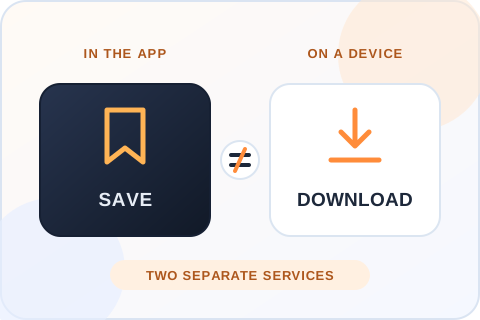
Separate in-app saves from filesA favorite keeps a post in the app for later. A download creates a copy on a device when the creator’s settings permit it. They are separate services, so choose the metric you mean.
Before you buy
What to check before you buy TikTok saves
Before you pay any seller for TikTok saves, check when delivery starts, whether the saves drop and what the order asks of you. This is our answer on each point, next to the question to put to anyone else.
What matters
Boost Social Media
What to verify elsewhere
Start time
✓Delivery starts within 20 minutes of checkout
Whether a start time is stated before you pay
Drops
✓Delivered saves don’t drop
Whether drops are mentioned, and what happens if they occur
Profiles
✓Saves come from real profiles
Whether the seller says where the saves come from
Video choice
✓You select the exact public video and see its thumbnail before you pay
Whether you control the destination before payment
Claims
✓No promise of views, follows or a place on the For You feed
Whether limits are explained honestly
Password
✓Never required
Whether login access or a verification code is requested
Pricing
✓Every package price is shown before you enter a username
Whether the quantity and total are visible before checkout
Refund
✓30-day money-back guarantee
Whether a refund window is stated in writing
Support
✓24/7 by live chat, WhatsApp and email
How order issues are handled
Reviews
Customer Reviews
No reviews for TikTok Saves yet. Ordered it before? Tell other customers how it went.
Write a Review
Questions
About TikTok Saves
Are these real TikTok saves?
Yes. Saves come from real profiles and are added to the public video you select. They count like any other favorite and show in the number beside the bookmark icon. They are not a promise of views, follows or reach. Those are separate measures, and no save count can guarantee them.
Is it safe to buy TikTok saves?
You never give us your password, so nobody but you can log in or post. The order needs a public username, the video you select and an email for the receipt, nothing more. Saves are delivered at a paced rate to a public video, with no access to the account. No seller can speak for TikTok, but that is the low-risk way to do this.
Do I need to share my TikTok password?
No. The order uses the public username you enter and the video you select. Do not send a password, a login code or a recovery email to us or to anyone selling saves. A seller who asks for them is asking for control of the account, and no saves service needs that to deliver.
How fast will the saves arrive?
Delivery starts within 20 minutes of checkout. That is the start, not the finish. Larger packages are paced over a longer window, so the save count climbs and does not jump. If the count still hasn’t moved after that, send support your order number and the video link.
Do TikTok saves drop after delivery?
No. Saves delivered through this service don’t drop. Once they are in the number beside the bookmark icon they stay there, and any saves the video earns on its own come on top. If the count ever looks lower than what you ordered, send support your order number and the video link. Support is available 24/7.
Can I choose the exact video?
Yes. Enter the account username, then select an eligible public TikTok video. You see its thumbnail before you pay, so compare the cover and caption with the upload you mean. The order goes to the exact video you select, and one order covers one video.
Do saves guarantee new viewers?
No. Saves, views and recommendations are different measures. This package is for the save count on one video. TikTok decides what to recommend from how each viewer behaves, and no package can promise that. If the view counter is what you want to change, that is a separate TikTok service.
Can I see the price first?
Yes. Choose a package above to see its current price before continuing. A Custom amount between two packages is charged at the next package’s price, and that total is also shown before you enter a username or any payment details.
Are TikTok saves the same as downloads?
No. A save or favorite keeps the post in TikTok for later, and it shows in the count beside the bookmark icon. A download saves a copy to a device, when the creator’s settings allow it. They are sold as separate services here, so choose the one whose number you want to change.
Can I get a refund?
Yes. If you’re not satisfied, ask for your money back within 30 days of purchase. Support can start the request for you by live chat, WhatsApp or email, and the full terms are on our Refund Policy page. Include your order number so support can find the order.
How can I pay?
By credit or debit card, Apple Pay or Google Pay. The options you see at checkout depend on your device and location. You review the total before you enter any payment details, and your TikTok password is never part of the order.
Are TikTok saves the same as favorites?
Yes, on this page they mean the same thing. Saves refers to the in-app favorite or bookmark action for a selected TikTok video, the one that adds the clip to a viewer’s Favorites. It is not a file download, and it doesn’t put a copy of the video on anyone’s device.
Will a save package make the video appear on For You?
No placement or recommendation is guaranteed. TikTok uses many signals and weighs what each viewer does with a video. This package concerns the selected save quantity only. It changes the number people see beside the bookmark icon, and the video still has to earn its reach.
Can I choose a specific recipe or tutorial video?
Yes. Enter the public username and check the exact video thumbnail in the next step before payment. Recipes, tutorials and checklists are the kind of clip people bookmark to come back to, so a save count reads naturally there. Make sure the video is public and that it’s the final edit.
Does a favorite create a file on someone’s phone?
No. Favoriting keeps a reference to the post inside TikTok. A device copy is a download, which is a separate action and depends on the creator’s download settings. Choose saves when the in-app bookmark count is the result you intend to change, then verify the selected video before checkout.
How many TikTok saves should I buy?
Pick a number that looks believable next to the video’s views and likes. For a first order, a small package tells you more than a large one, because you can see exactly what changed on a clip you know well.
Is there a cheap way to test the service?
Yes. The smallest package is 50 saves for $0.99, which is enough to see how delivery looks on your own video. Our free trial page also lets you try TikTok views or likes, with one free service every 24 hours.
Is Boost Social Media affiliated with TikTok?
No. Boost Social Media is an independent service and is not affiliated with, endorsed by or sponsored by TikTok. We have offered social media services since 2016. For questions about TikTok’s own rules and settings, the right source is TikTok’s help center.
Can I order an amount between the listed packages?
Yes. Choose Custom in the package grid and enter a whole number within the range shown. The total is the price of the next listed package, so you can see it before entering your TikTok username.

Payment
Secure ways to pay
The payment methods available for your order appear at checkout and may vary by device or location.
▣
Cards
Review the total before entering your card details.
Apple Pay
Use a supported Apple device when this option is shown.
G
Google Pay
Use a supported browser when this option is shown.
Your TikTok password is never part of the order.
About Boost Social Media
We have offered social media services since 2016. Our TikTok pages show the available quantities and prices before you enter an account, and our support team can help if an order needs attention.
Ready to choose TikTok Saves?
Compare packages, choose a quantity and review the order before payment.