Buy Instagram Video Views

Give a public Instagram video post a defined number of views. Choose the package first, then select the eligible video in the next step and review the order before paying.

✓ Public content✓ No password✓ Clear packages✓ Secure checkout
Trusted by 100,000+ customers since 2016 Secure checkout
Choose your Video Views package|PUBLIC POSTS|

Choose a fixed package or enter a custom amount. You will confirm the eligible public video on the next step.

100
Video Views
200
25% OFF
500
50% OFF
Popular
1,000
60% OFF
2,000
70% OFF
5,000
80% OFF
10,000
82% OFF
15,000
84% OFF
20,000
85% OFF
30,000
87% OFF
50,000
88% OFF
Custom
ANY QTY
You selected1,000 Video Views
Price
$3.99
🔒 Secure Checkout

Choose Custom for any whole number from 100 to 100,000 Video Views.

100,000+ orders · 100M+ engagements delivered since 2016 100K+ orders · 100M+ engagements · Since 2016 Trusted

How to Buy Instagram Video Views

1

Choose a package

Compare the quantities and prices above.

2

Choose the content

Enter the public username and select eligible content.

3

Review and pay

Check the order summary at secure checkout.

What this package measures

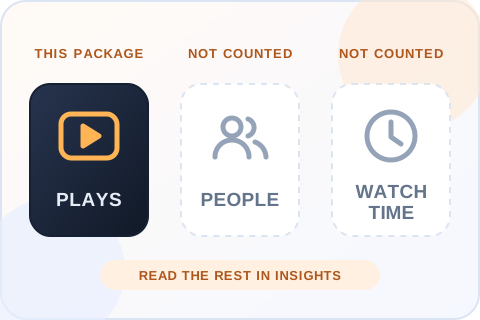
Video views are plays, not likes or unique people. A view count alone does not tell you how long people watched or whether they visited your profile.

Choose the right Instagram service

Use this page for eligible video posts. If you are promoting a Reel, choose our dedicated Reels views service so the order goes to the right content format.

Need a different format? See Instagram Reels Views or browse all services.

Pick a video worth watching

A view package works best as one part of a video plan. Make the opening seconds clear, use a cover that explains the subject, and give the caption a reason to continue watching. Those decisions affect real viewing behavior in ways a purchased count cannot. If you are testing several edits of the same idea, put the package on the version that already holds attention rather than spreading it blindly.

Read the right numbers afterward

Check the video view count, then compare it with watch time, completion, profile visits and follows in your own Insights. A larger view count with little retention is a different outcome from a smaller audience that watches most of the clip. Instagram may change metric labels across formats, so use the Insights panel for the specific post rather than comparing unlike counters.

Keep video posts separate from other formats

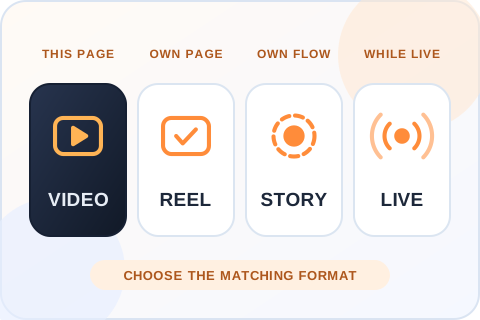
This service is for eligible video posts selected during checkout. A Story is temporary and uses a different order flow; a Live stream requires an active broadcast; a Reel has its own package page. Choosing the matching format before paying avoids directing an order to content the service cannot process.

What Instagram says it looks at in Feed

Adam Mosseri has described how Instagram ranks posts in Feed: “the five interactions we look at most closely are how likely you are to spend a few seconds on a post, comment on it, like it, share it, and tap on the profile photo.” Each of those is a prediction about one viewer. None of them is the play count printed on a video. So a views package changes what a visitor sees on the post, and the ranking still depends on how people respond to the video. Source: Instagram Ranking Explained.

Before you order

The selected video and its account must remain public while the order is processed. Delivery starts within 20 minutes of checkout, and the time to finish depends on the package size.

Buying a metric can change a displayed count, but it cannot guarantee broader distribution, lasting engagement or sales. Review the result alongside your content quality and the account's own Insights.

A video views package changes the play count. It does not count unique people and it does not show how long they watched. Those figures are in Instagram Insights.
Plays, not people or watch timeA view count is not a count of unique viewers, and it does not show whether a person watched the full clip. Use Instagram Insights for the selected video to read retention separately.

Plan an Instagram Video Views Order

Choose the video and the measurement first. A view package changes a play count; it cannot tell you whether people liked the idea or stayed to the end.

Confirm the format before you choose a number

Open the post from the public profile and check that it is the eligible video post you intend to support. A Reel, an active Story and a Live broadcast use different services and selection steps. If the account has several cuts of the same video, compare their covers and captions before continuing. The checkout screen should show the exact post you picked. A correct quantity on the wrong upload is still the wrong order, so this small check is more useful than choosing a bigger package in a hurry.

Use your recent videos as the baseline

Look at several recent uploads, not just the best performer. Their usual view range gives you a more useful reference than a generic recommendation for every account. A launch video may deserve a different amount from a routine update, but the price and quantity should still fit the purpose of the campaign. Compare the total shown beneath the packages before continuing. If you manage a client account, agree on the chosen video and amount in advance so the final review is a confirmation rather than a new decision.

Keep plays separate from people and watch time

A view count is not a count of unique viewers. The number also does not show whether a person watched the full clip, visited the profile or took an action afterward. Use Instagram Insights for the selected video to read retention and other available measures separately. A post with many plays but little watch time may need a clearer opening, shorter edit or better match between cover and content. Buying more plays cannot make an unclear video more useful to someone who sees it.

Choose one video or divide the order deliberately

After entering the username, select the eligible content shown on the next step. If the selected package permits more than one post, the allocation screen will show the amount required for each. Decide whether the goal is one focal video or a set of related clips. Splitting too thinly can make the result hard to evaluate; placing everything on one post can be simpler when you are testing a specific message. Review every thumbnail and assigned amount before payment, especially if the uploads look alike.

Record what happened before and after

Save the public starting view count, the post link and the order confirmation. Return to the same video after processing rather than comparing it with another upload. Organic plays or other promotions may move the counter during the same period, so the visible difference alone cannot attribute every view to one source. Check profile visits, follows and the actions you hoped the content would earn as separate measures. That makes the campaign report clearer and helps you decide whether the next video needs a stronger idea or a different presentation.

Ask what the cover promises

A viewer decides whether to press play from a small cover, a few visible words and the account name. If those elements promise something the video does not deliver, the view number can rise while people leave quickly. Look at the post as a stranger would: can you understand the subject without opening the caption, and does the first moment answer the expectation set by the cover? Make those edits before ordering. A clearer promise also makes it easier to interpret whether a lower completion rate came from the creative itself or from the audience you reached.

Choose a useful comparison period

Video performance changes over hours and days. Compare the selected post with videos of a similar age and format rather than setting a fresh upload against a clip that has been live for months. Write down when the order was placed and whether you were running ads or sharing the post elsewhere. You do not need a complicated dashboard; a short note with the link, starting count, package and campaign goal is enough. It will make the result easier to explain to a client or teammate without pretending the purchased views caused every later action.

Keep the destination available

The public video and account need to remain accessible while the order is processed. Do not archive the post, change the username or make the profile private in the middle of delivery. If the selected video is removed or its link changes, contact support with the order reference rather than placing another order for the same issue. Delivery starts within 20 minutes of checkout, and the time to finish depends on the package size. The checkout confirmation is the record of what you actually purchased.

This page is for eligible video posts. A Reel has its own package page, a Story uses a different order flow, and a Live stream needs an active broadcast.
Keep video posts separate from other formatsThis service is for eligible video posts. A Reel has its own package page, a Story is temporary and uses a different order flow, and a Live stream requires an active broadcast.

Delivery, Safety and Refunds for Instagram Video Views

What happens between payment and the new view count, and what to do if something looks wrong.

When the order starts

Delivery starts within 20 minutes of a successful payment. How long it takes to finish depends on the package size and on the selected video staying public. Delivery is paced, so a large package takes longer to finish than a small one. Once delivered, the views don’t drop.

What the order needs

A public username, the video posts you select and an email address for the receipt. That is all. We never ask for your Instagram password, a two-factor code or a recovery email, and nobody at Boost Social Media logs in to your account.

30-day money-back guarantee

If you’re not satisfied with the order, ask for a refund within 30 days of purchase. Support can start the request for you, and the terms are on our Refund Policy page.

If the view count looks wrong

Check that you’re looking at the video you selected and that the account is still public. If both are right, send support your order number and the post link. Support is available 24/7. Please don’t place a second order for the same issue.

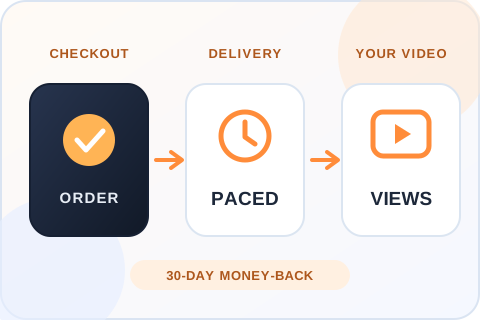
Illustration of three steps: the order is placed, delivery is paced, and the view count on the selected video goes up.
From checkout to the view countDelivery starts within 20 minutes of a successful payment, and it is paced. If you’re not satisfied, you can ask for your money back within 30 days.
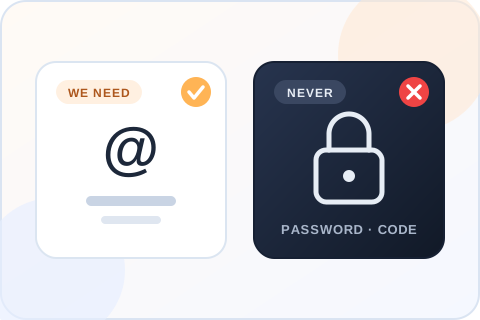
Illustration comparing what the order needs, a public username, with what it never needs, a password or a login code.
What the order needs, and what it never needsA public username, the video posts you select and an email for the receipt. Never a password or a login code.

What to Check Before You Buy Instagram Video Views

A useful Instagram video views service should tell you when delivery starts, whether the views drop, what it needs from you and what it cannot promise.

What mattersBoost Social MediaWhat to verify elsewhere
Start time Delivery starts within 20 minutes of checkout Whether a start time is stated before you pay
Drops Delivered views don’t drop Whether drops are mentioned, and what happens if they occur
Password Never required Whether login access or a verification code is requested
Video choice Choose the exact eligible video posts Whether you control the destination before payment
Pricing Every price is shown before you enter a username Whether the quantity and total are visible before checkout
Claims No guarantee of reach, followers or sales Whether limits are explained honestly
Refund 30-day money-back guarantee Whether a refund window is stated in writing
Support 24/7 by live chat, WhatsApp and email How order issues are handled

Customer Reviews

No reviews for Instagram Video Views yet. Ordered it before? Tell other customers how it went.

Write a Review
Your rating

Reviews are published after we check them. Please don't add links or personal details.

Questions About Instagram Video Views

Are video views the same as Reels views?
No. This page is for eligible Instagram video posts, and you select the exact video during checkout. Reels have their own service and package page, so an order placed here doesn’t go to a Reel. Select the format that matches the content before checkout, and check the thumbnail in the selection step.
Do you need my Instagram password?
No. The order uses an eligible public account or content and an email address for the receipt. We do not ask for your Instagram password, a login code or a two-factor code, and nobody at Boost Social Media logs in to your account. A seller who asks for any of those is asking for control of the account.
When will the order start?
Delivery starts within 20 minutes of a successful payment. That is the start, not the finish: delivery is paced, so a large package takes longer to complete than a small one. Keep the selected video and the account public while the order runs. If the view count still hasn’t moved after that, send support your order number.
Is it safe to buy Instagram video views?
You never give us your password, so nobody but you can log in, post or change anything. The order uses your public username and the video posts you select, and delivery is paced. We can’t speak for Instagram and no honest seller can, but an order that needs no account access is the low-risk way to do this.
Do Instagram video views drop after delivery?
No. Views delivered through this service don’t drop. Once they are in the video’s view count they stay there, and any plays the video earns on its own come on top. If the count ever looks lower than what you ordered, send support your order number and the post link. Support is available 24/7.
Can I get a refund?
Yes. If you’re not satisfied, ask for your money back within 30 days of purchase. Support is available 24/7 and can start the request for you, and the terms are on our Refund Policy page. Include your order number so support can find the order.
How much do Instagram video views cost?
Packages start at $0.99 for 100 views, and every price is shown in the package grid before you enter a username. Custom accepts any whole number from 100 to 100,000. An amount between two packages is charged at the next package’s price.
Can I split the views across several videos?
Where the selected package permits more than one post, the allocation screen shows the amount required for each. Review every thumbnail and assigned amount before payment. If the package allows only one video, choose the single video you most want to support and place a separate order for the next one.
Do video views count as watch time?
No. A view is a play. It does not tell you how long people watched or how many different people played the video. Instagram Insights for the post is where you read retention, and that figure comes from how real viewers behave. A view package doesn’t set it, so keep the two numbers apart when you review a video.
Do video views help a post rank in the feed?
Nobody outside Instagram can promise that. Adam Mosseri has written that in Feed, Instagram looks most closely at how likely a person is to “spend a few seconds on a post”, comment on it, like it, share it and tap the profile photo. Those are predictions about each viewer. A view package changes the play count people see, not how the next viewer behaves.
Will video views guarantee reach or followers?
No. A view package changes one displayed count, the play count on the video you selected. It cannot guarantee broader distribution, lasting engagement, followers or sales. Those depend on the video and on how viewers respond to it, which is why the opening seconds and the cover still matter.
Can I get views on every new video automatically?
Yes, with a separate plan. Instagram Auto Views covers new public Reels and video posts for 30 days, up to 60 videos in the term with no daily limit, and it does not renew automatically. The plan detects a new video within a few minutes of it going live. It is linked near the top of this page.
How can I pay?
By credit or debit card, Apple Pay, Google Pay, PayPal or crypto. The methods you see at checkout depend on your device and location. Your Instagram password is never part of the payment or the order.
Is there a cheap way to test the service first?
Yes. The smallest package is 100 views for $0.99, which is enough to see how an order looks on your own video. Our free trial page also offers 100 Instagram views on one public post or Reel, with one free service every 24 hours.
Is Boost Social Media affiliated with Instagram or Meta?
No. Boost Social Media is an independent service and is not affiliated with, endorsed by or sponsored by Instagram or Meta. We have offered social media services since 2016. For questions about Instagram’s own rules and settings, the right source is Instagram’s Help Center.

Secure Ways to Pay

Available payment options appear at checkout and may vary by device or location.

💳

Cards

Pay using the card options shown at checkout.

Apple Pay

Available on supported Apple devices.

G Pay

Google Pay

Available in supported browsers.

Your Instagram password is never part of the checkout.

About Boost Social Media

Boost Social Media has offered social media services since 2016. We focus on clear packages, a password-free order flow and support when an order needs attention.

More Instagram Services

Choose the service that matches your content format and campaign goal.

Ready to choose Instagram Video Views?

Compare the packages and review your order before payment.

View Packages

We are gathering the necessary information...