
YouTube Description Template: Give Every Line a Job
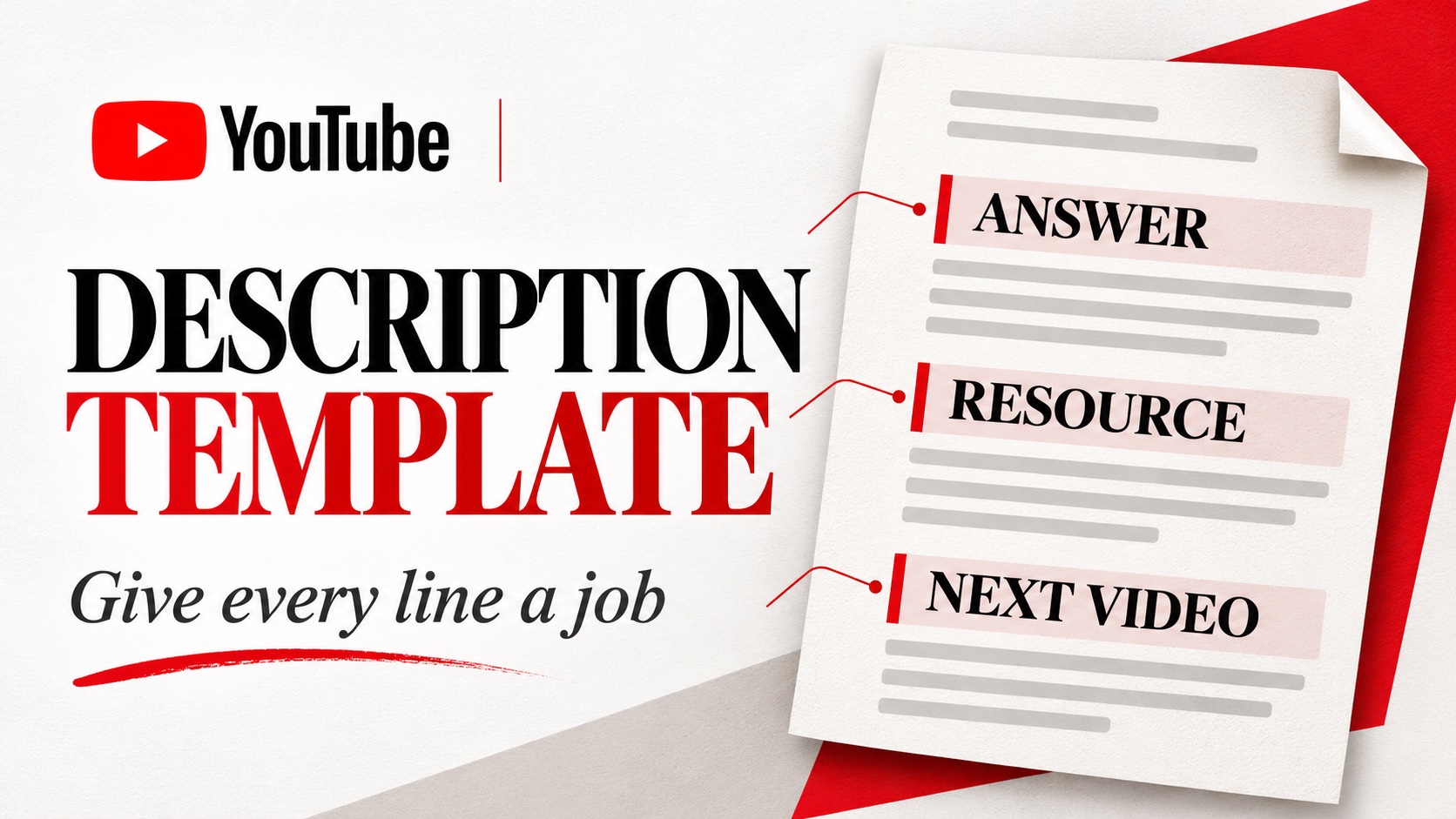
A YouTube description should answer two questions quickly: what will this video help me do, and where should I go next? A template saves time when it gives those answers a consistent place. It becomes a problem when the same channel biography appears above the useful information on every upload.
This template is for individual long-form videos. Adapt it to the recording you actually made, remove sections you do not need, and check every destination before publishing. A shorter, accurate description is more useful than filling the space with unrelated keywords or links.
Start with the result and the scope
Use the opening lines to explain the specific task, the approach shown, and any important limit. For a voiceover tutorial, that could mean recording with a USB microphone in an untreated room. Someone looking for a professional studio build should recognize the difference before watching.
YouTube recommends making each description unique and using one or two main topic words prominently in the title and description. Its description guidance also emphasizes the opening lines, which viewers see before expanding the text. Use the language your audience uses, but keep the sentence natural.
For example, “Record a clear voiceover at home using a USB microphone and a short room-noise check” describes a specific lesson. “Welcome back to another amazing video full of valuable tips” could introduce almost anything. Spend that first line helping someone decide whether this is the right video.
A compact YouTube description template
Copy the sections below into your working document, then replace every instruction with information from the finished video. The bracketed text is a writing prompt, not text to leave in the published description.
Opening: [Explain the task this video demonstrates, the method used, and who it is for.]
Useful detail: [Name the materials, software, conditions, or limitations a viewer should know before following along.]
Resource: [Describe the relevant checklist, file, or reference.] [Insert its checked destination.]
Watch next: [Name the next problem this viewer may need to solve.] [Insert the matching video or playlist link.]
Credits and disclosures: [Add necessary credits and explain relevant commercial relationships accurately.]
Optional chapters can help with a longer demonstration. Add them only when they match the final edit and meet YouTube’s chapter requirements. A chapter label should identify the section’s content, not repeat “important tip” several times. Do not invent timestamps while writing a description before the edit is finished.
See how the template works in practice
For a hypothetical home voiceover video, the opening might read: “Record a clear voiceover at home with a USB microphone. This walkthrough compares two recording positions and shows how to check room noise before recording the full script.” The description tells viewers what they will see without promising studio-quality results.
The useful detail could say that the demonstration uses the microphone already shown in the video, without requiring viewers to purchase a new model. A resource line could introduce a recording checklist. The next-video line could point to a separate lesson about editing pauses, provided that lesson actually exists.
Notice what the example leaves out: a list of unrelated equipment, every social profile, and claims about the creator’s expertise that the video does not establish. Each remaining line helps the viewer prepare, follow along, or continue. The template organizes those choices; it cannot make the choices for you.
Check whether the link will work where you put it
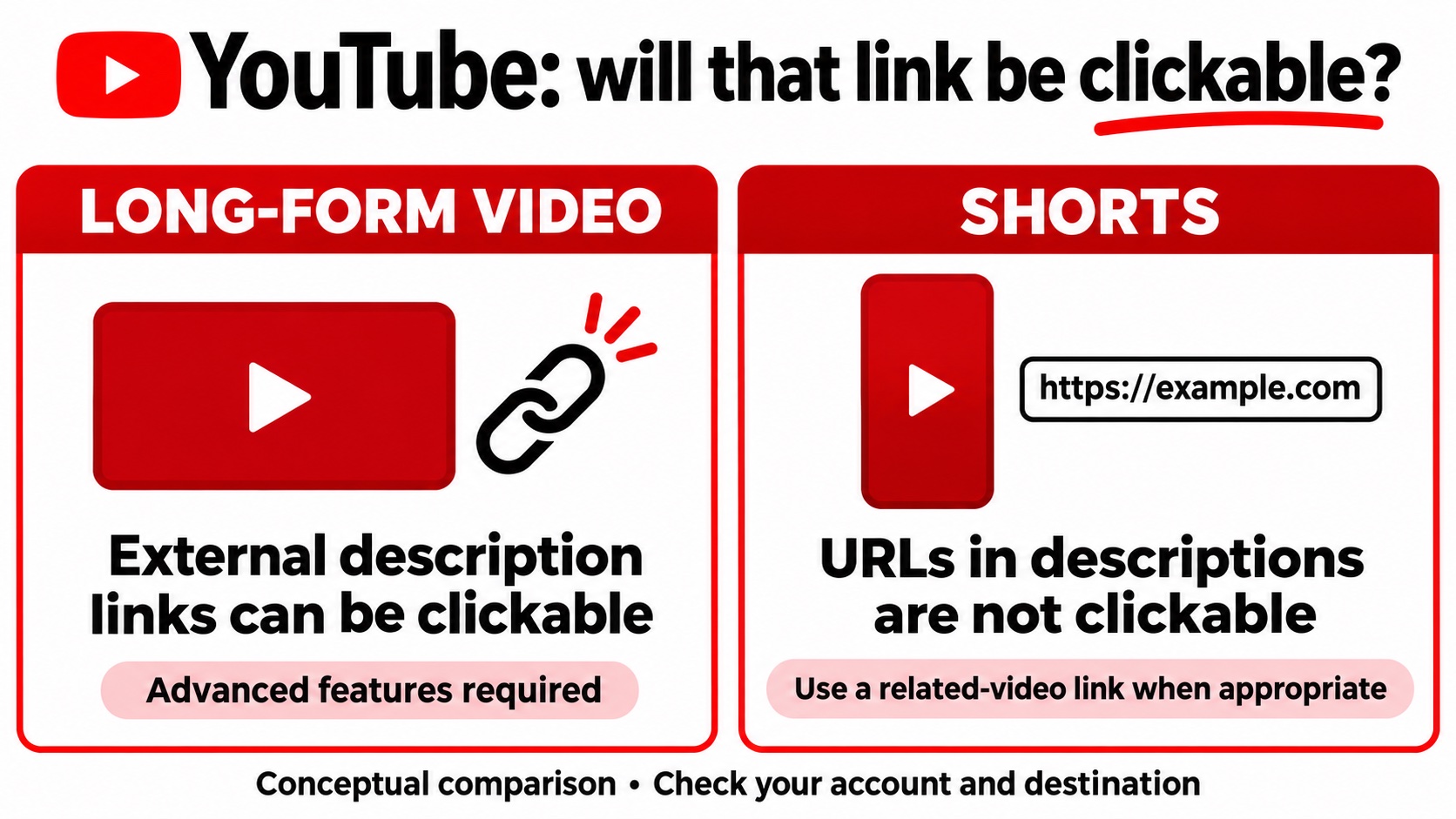
A visible URL is not always a clickable link. YouTube’s link rules distinguish long-form videos from Shorts. Clickable external links in long-form descriptions require access to advanced features. URLs in Shorts descriptions and comments are not clickable.
That means a description written for a long tutorial should not be copied unchanged into a Short promoting it. Where appropriate, use the Short’s related-video feature to direct viewers to a relevant video. Keep the spoken instruction consistent with the route viewers can actually use on that format.
For each destination, ask what the viewer expects after clicking. A checklist link should open the promised checklist or a clearly explained access page. A product link should lead to the item discussed. If you require an email address, explain that before the viewer leaves YouTube.
Prepare the description before promoting the video
Additional viewers should find a complete, useful page. Match the title, opening description, and video content before you start promoting it. An accurate description gives an interested viewer context and a next step; it cannot repair a demonstration that never delivers its promised answer.
If you decide to buy YouTube plays, our YouTube views service promotes the public video you select through YouTube ads. Choose a video with a clear audience and working destinations. Additional exposure does not guarantee search rankings, subscribers, or purchases, so keep the promotion goal specific to that video.
Keep recurring channel information near the end, and review it when you reuse it. A standard contact address may stay relevant across uploads; a launch offer may not. Never let a copied footer contradict the date, product, or instructions in the current video.
Keep a copy of the final description with the finished video file. When you update a destination later, record exactly what changed and why for future editorial reference. This is particularly useful when a resource moves or a linked lesson is replaced. You can repair the relevant line without rewriting an accurate opening or accidentally restoring an outdated offer from an older draft.
Run a final viewer check
Open the saved description on a phone. Read the collapsed opening, expand it, and test the links. Search for brackets, placeholder instructions, old product names, and references to sections removed during editing. Check that any credits or disclosures survived the final revision.
After publication, review the search terms available in YouTube Analytics alongside the questions viewers ask. Use that information to clarify wording where needed. Keep the description faithful to the recording: if a new question requires a new demonstration, make another video instead of adding an answer the current one never shows.