Delivery starts within 20 minutes
Delivery starts within 20 minutes of checkout. That is the start, not the finish. Larger packages are paced over a longer window, because delivery is built to look natural and not arrive in one burst.

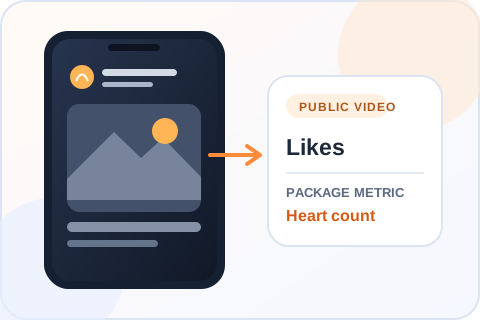
For a public TikTok video
Choose how many likes you want for a public TikTok video. You enter the account, select the video, and see the package again before you pay. No TikTok password is needed.
Reviewed by the Boost Social Media team Updated September 2026
TikTok Likes packages available
Clear package pricing
Pick a package or enter an exact amount. You will confirm the TikTok video before checkout.
Custom amounts from 10 to 50,000 are charged at the next package price. Enter an exact amount to see the total.
How it works
Before you order
You choose a package, enter the public username and pick the video. Likes from real profiles are then added to that video’s heart count. No password, no login code. A likes package changes one visible number on one video. It is not a shortcut to guaranteed followers, comments, sales, or a place in someone’s feed, and a strong first frame still matters more than the number beside the heart icon.
Compare the current tiers, pick a quantity and continue with your public username. The video selection step lets you identify the right post visually. Check the selected video and total before checkout, especially if your profile has several similar clips.
Buying guide
Before you pay, know when delivery starts, which video the order applies to, what happens if likes drop, and how refunds work.
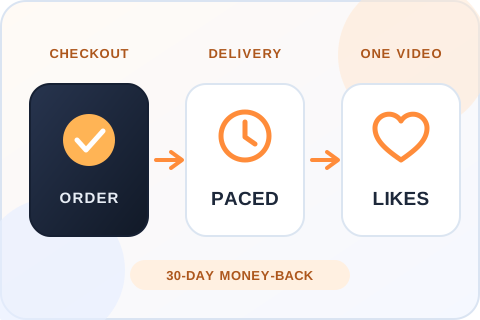
Delivery starts within 20 minutes of checkout. That is the start, not the finish. Larger packages are paced over a longer window, because delivery is built to look natural and not arrive in one burst.
A likes package applies to the one public video you select after entering your username. Check the thumbnail before you pay, especially if you post several cuts of the same idea. If the video is removed or made private, the order cannot reach it.
Likes on TikTok usually stay where they are. If the likes we delivered do drop, the order is covered by a refill guarantee for 3 months. Send support your order number and the video link, and we refill eligible drops. Please don’t place a second order to cover the gap.
If you’re not satisfied with the order, ask for a refund within 30 days of purchase. Support can start the request for you, and the terms are on our Refund Policy page.
Choosing the right order
Look at the video’s current views and likes before you pick a tier. A heart count far above what the view count could explain looks odd to anyone who checks. There is no fixed ratio that fits every account, so compare the video with your own earlier posts and choose a number you’re comfortable reviewing.
If none of the tiers is the number you want, Custom accepts any whole quantity within the range shown in the package grid. An amount between two tiers is charged at the next tier’s price, and you see the total before you continue. The likes do not have to land on a round number.
An order covers one video. If three clips introduce your account, place three orders and size each one to that clip’s views. On the same video, finish one order before you start the next, so you can check each result against its own starting count.
Both work, as long as the video is public and shows in the selector. On a new upload, wait until it has some views of its own, so the likes don’t outrun the view counter. On an older clip, check that it still represents the account, because a visitor may land on it first.
Practical buying advice
Most questions about buying likes come down to safety, what a like actually does on TikTok, and which video should carry the count. Here are straight answers.
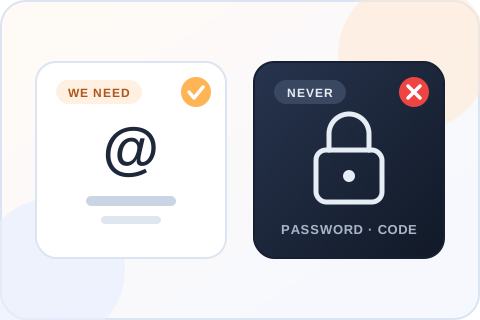
The order needs a public username, the video you select and an email for the receipt. Nothing else. We don’t ask for your password or a login code, and nobody at Boost Social Media signs in to your account. If a seller asks for those, walk away, because they are asking for control of the account.
We can’t speak for TikTok, and neither can any other provider. What we control is how the order is handled: likes from real profiles, paced delivery, no access to your account, a 3-month refill if likes drop, support that answers 24/7 by live chat, WhatsApp and email, and a refund within 30 days if you’re not happy with it.
Usually they don’t. A like leaves a video only when the profile behind it is removed or the person takes it back, so the heart count on TikTok tends to hold once delivery has finished. We still won’t call any count permanent, because TikTok can remove profiles at any time.
If the likes we delivered do drop, the order is covered by a refill guarantee for 3 months. Send support the order reference and the video link, and we refill eligible drops. Keep the video public in the meantime, and don’t reorder to cover the gap, because overlapping orders on one video make the count harder to check.
TikTok says its recommendations are built from each viewer’s own behavior: “the videos you like or share”, the accounts they follow, the comments they post. In the same newsroom post it adds that finishing a longer video counts for more than weaker signals. The system watches what each viewer does. It does not read the size of a counter.
So a likes package cannot promise a place on anyone’s For You feed, and we won’t pretend it can. What it changes is the number people see under the video. That number shapes the first impression of a visitor who is deciding whether the clip is worth a few seconds.
Under the video, in the heart count, which is the number most visitors look at first. TikTok also adds up the likes across your public videos and shows the total on your profile, next to the follower count. Likes delivered to one clip raise that profile total by the same amount.
That matters when you decide where to send them. One clip with a strong count tells a visitor that this video landed. The same likes spread thin over ten clips change the profile total and little else. Pick the video you want a new visitor to watch first.
TikTok’s ads help center describes Promote as “an in-app advertising tool to help you amplify your TikTok videos and LIVEs”. The goals it lists include more video views, more followers and more profile views. A like count is not one of them. Promote pays for people to see the clip, and the hearts depend on what those people think of it.
A likes package sets the number directly. You choose the quantity, and it arrives on the video you selected, from real profiles. It doesn’t put the clip in front of new viewers. If the video is strong and needs reach, Promote is the tool. If the video is fine and the heart count looks thin next to its views, that is what this page is for.
Open the candidate post as someone who has never seen your account. Does the first frame show the subject? Can the caption be understood without reading a long thread? When two videos cover the same topic, choose the one that explains itself faster, not necessarily the one with the larger existing count.
After you enter the username, compare the thumbnail and post details in the selector. Creators often publish multiple cuts with similar covers. Taking a moment to confirm the exact upload keeps the result from landing on a post you did not intend to promote.
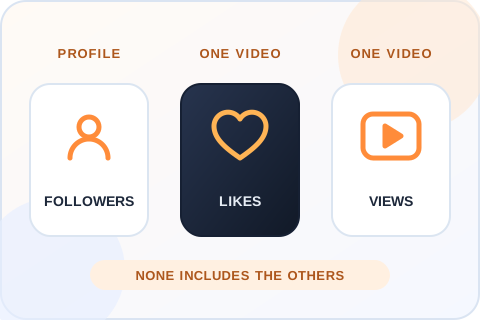
Choose likes when one video needs more visible response. Choose TikTok views when the view counter on a specific clip is the goal, and followers when the gap is the account-level number. None of the three includes the others, and each is a distinct action on TikTok.
If a clip already gets likes but viewers leave quickly, more hearts will not tell you why the opening fails. Watch-time data in your own analytics answers that question better. You’ll find the other TikTok services at the bottom of this page.
Save the selected thumbnail and the starting like count if you plan to compare the result later. When you run other promotions at the same time, a public counter can move for several reasons. A simple record of the target and the order reference keeps the purchase separate from ordinary audience activity.
If the count doesn’t look right, first confirm you’re looking at the video you selected at checkout, and allow for processing. If something still looks wrong, send support the order reference and the video link. Please don’t place a duplicate order to fix it.
Keep the video public and leave it up until delivery finishes. If the clip is deleted, made private or reposted as a new upload, the order can’t follow it, because it is tied to the exact video you selected. Keep the username unchanged for the same reason.
You can post new videos and reply to comments as usual. If you want likes on a second clip, place a separate order for that video. Two orders on the same clip at the same time make both results impossible to check, so let the first one finish.
A product demonstration should show the product early. A tutorial should establish the problem and the result before spending time on the introduction. For a short story, the first line should give viewers a reason to stay. These are editorial choices you control, and a like order cannot repair an unclear video.
After the order, look at comments, saves and watch behavior in your own analytics if they matter to your goal. Reply to real questions and use them to plan the next clip. The purchased likes affect the chosen counter, while those other responses tell you something different about the audience.
Before you buy
Before you pay any seller for TikTok likes, check when delivery starts, what happens if likes drop and what the order asks of you. This is our answer on each point, next to the question to put to anyone else.
| What matters | Boost Social Media | What to verify elsewhere |
|---|---|---|
| Start time | Delivery starts within 20 minutes of checkout | Whether a start time is stated before you pay |
| Drops | Likes usually don’t drop, and a 3-month refill covers it if they do | Whether drops are mentioned, and what happens if they occur |
| Profiles | Likes come from real profiles | Whether the seller says where the likes come from |
| Video choice | You select the exact public video and see its thumbnail before you pay | Whether you control the destination before payment |
| Password | Never required | Whether login access or a verification code is requested |
| Pricing | Every package price is shown before you enter a username | Whether the quantity and total are visible before checkout |
| Refund | 30-day money-back guarantee | Whether a refund window is stated in writing |
| Support | 24/7 by live chat, WhatsApp and email | How order issues are handled |
Reviews
No reviews for TikTok Likes yet. Ordered it before? Tell other customers how it went.
Questions
Yes. Likes come from real profiles and are added to the public video you select. They show in the video’s heart count like any other like, and they add to the total likes on your profile. They are not a promise of comments, follows or reach. Those are separate actions, and no like count can guarantee them.
You never give us your password, so nobody but you can log in or post. The order needs a public username, the video you select and an email for the receipt, nothing more. Delivery is paced instead of arriving in one burst. No seller can speak for TikTok, but delivery to a public video with no account access is the low-risk way to do this.
No. You only need the public account username and the video you want to select. Do not send a password, a login code or a recovery email to us or to anyone selling likes. A seller who asks for them is asking for control of the account, and no likes service needs that to deliver.
Yes. You choose an eligible public video after entering the account username, and you see its thumbnail before you pay. If you posted several cuts of the same idea, compare the cover and caption with the upload you mean, because the order goes to the exact video you select and can’t be moved afterwards.
Delivery starts within 20 minutes of checkout. That is the start, not the finish. Larger packages are paced over a longer window, because delivery is built to look natural and not land in one burst. If the count still hasn’t moved after that, send support your order number and the video link.
No. The visible like count is only one signal among many, and TikTok’s recommendations follow what each viewer does with a video. We do not promise a specific number of organic viewers, and no seller honestly can. What the package changes is the number a visitor sees under the clip.
Yes. If you’re not satisfied, ask for your money back within 30 days of purchase. Support can start the request for you by live chat, WhatsApp or email, and the full terms are on our Refund Policy page. If the problem is likes that dropped after delivery, the 3-month refill covers that, so mention it to support.
By credit or debit card, Apple Pay or Google Pay. The options you see at checkout depend on your device and location. You review the total before you enter any payment details, and your TikTok password is never part of the order.
Yes, if the post is still public and shows in the video selector. Choose the exact upload in the next step and check its thumbnail before paying. Before you order, make sure the clip still represents the account, because a higher like count will draw more visitors to it.
No. This is a likes package for one video. Comments, follows and future views are separate actions, and none is guaranteed by a like count. If you want a follower total or a comment count to change, those are sold as their own TikTok services, and you’ll find them at the bottom of this page.
Pick a number that looks believable next to the video’s views. A heart count far above what the view counter could explain looks odd to anyone who checks. For a first order, a small package tells you more than a large one, because you can see exactly what changed on a clip you know well.
Yes, within the available Custom range. The selected quantity stays exact, while its price is calculated from the next listed package tier and shown before checkout. If the amount you want is close to a listed package, compare the two, because the preset may give you more likes for the same price.
Open the intended public upload in TikTok first, then compare its thumbnail and account with the video shown in the selector. Similar covers are easy to mix up when several versions of the same idea were posted. Confirm the final selection in the order summary before paying.
Usually they don’t. Likes on TikTok tend to hold once delivery has finished. If the likes we delivered do drop, the order is covered by a refill guarantee for 3 months: send support your order number and the video link, and we refill eligible drops. Please don’t place a second order to cover the gap.
Yes. TikTok adds up the likes on your public videos and shows the total on your profile. Likes delivered to one video raise that total by the same amount, so the order shows in two places: under the clip and on the profile.
One order covers one video. For several clips, place one order per video and choose each upload in its own checkout. Size each order to that clip’s views, not to a single number for the whole account.
No. Promote is TikTok’s own advertising tool. You pay TikTok to show a video to more people, and the goals it lists are things like video views, followers and profile views. A likes package adds a set number of likes from real profiles to one video and does not show the clip to anyone new.
Yes. The smallest package is 10 likes for $0.49, which is enough to see how delivery looks on your own video: when it starts and how it is paced. Our free trial page also lets you test one free service every 24 hours.
No. Boost Social Media is an independent service and is not affiliated with, endorsed by or sponsored by TikTok. We have offered social media services since 2016. For questions about TikTok’s own rules and settings, the right source is TikTok’s help center.
Yes. Choose Custom in the package grid and enter a whole number within the range shown. The total is the price of the next listed package, so you can see it before entering your TikTok username.
Payment
The payment methods available for your order appear at checkout and may vary by device or location.
Review the total before entering your card details.
Use a supported Apple device when this option is shown.
Use a supported browser when this option is shown.
Your TikTok password is never part of the order.
We have offered social media services since 2016. Our TikTok pages show the available quantities and prices before you enter an account, and our support team can help if an order needs attention.
Compare packages, choose a quantity and review the order before payment.
View packages