
Instagram Broadcast Channel: Setup and Content Ideas
An Instagram broadcast channel gives people who already care about your work a place to follow its progress. You can share updates, ask questions and invite reactions without making every message into a polished feed post. Members choose to join; following your account and joining your channel are separate decisions.
The useful question is what someone gets there that they cannot get from your profile. A channel full of repeated sales announcements quickly loses its purpose. A channel that helps followers make a choice, learn something or see a project develop has a clearer reason to exist.
What an Instagram broadcast channel can do now
Channels are public spaces led by their creators. Messages can include photos, videos, voice notes and polls. Members can react, vote and, when replies are enabled, respond within conversations attached to messages. That last detail matters: older guides describing every channel as strictly one-way miss the newer reply features.
Meta also provides prompts and channel insights. A prompt gives members a specific question to answer with text or photos. Insights include interactions, Story shares and poll votes. These tools make a channel useful for listening as well as announcing, provided you act on what people tell you.
Check access before planning a launch
The current Instagram Help Center says a public account with more than 1,000 followers can start a channel. It also says the feature is still being released and is not available to everyone. Passing the follower threshold does not guarantee that the creation option will appear immediately.
Check your own account before promising followers a launch date. Open the Instagram app, go to Messages and tap the compose icon. Look for Create channel. If it is missing, check that your account is public and your app is current, then consult Instagram’s help rather than repeatedly switching account settings.
Do not confuse a public channel with a private customer conversation. Keep individual order problems, addresses and payment questions in appropriate private support channels. Your broadcast channel should contain material you are comfortable making discoverable.
Create the channel around one clear promise
In Messages, tap Compose, choose Create channel, then enter a name and review the available audience, end-date and profile-display choices. Tap Create when those details are correct. Instagram’s labels can change between versions, so follow the options presented in your app.
Choose a name that explains the benefit. For an illustrator, “Studio Notes” says more than “My Channel,” but the opening message should make it specific: “Join for rough sketches, color decisions and the finished pieces they become. Expect a few useful updates each week.” This is a sample promise, not a recommended frequency for every account.
Have that welcome message ready before sending anything. Instagram says your first channel message triggers an invitation notification to followers. Make the first impression deliberate instead of testing the feature with an unexplained “hello.”
Give the first week a simple shape
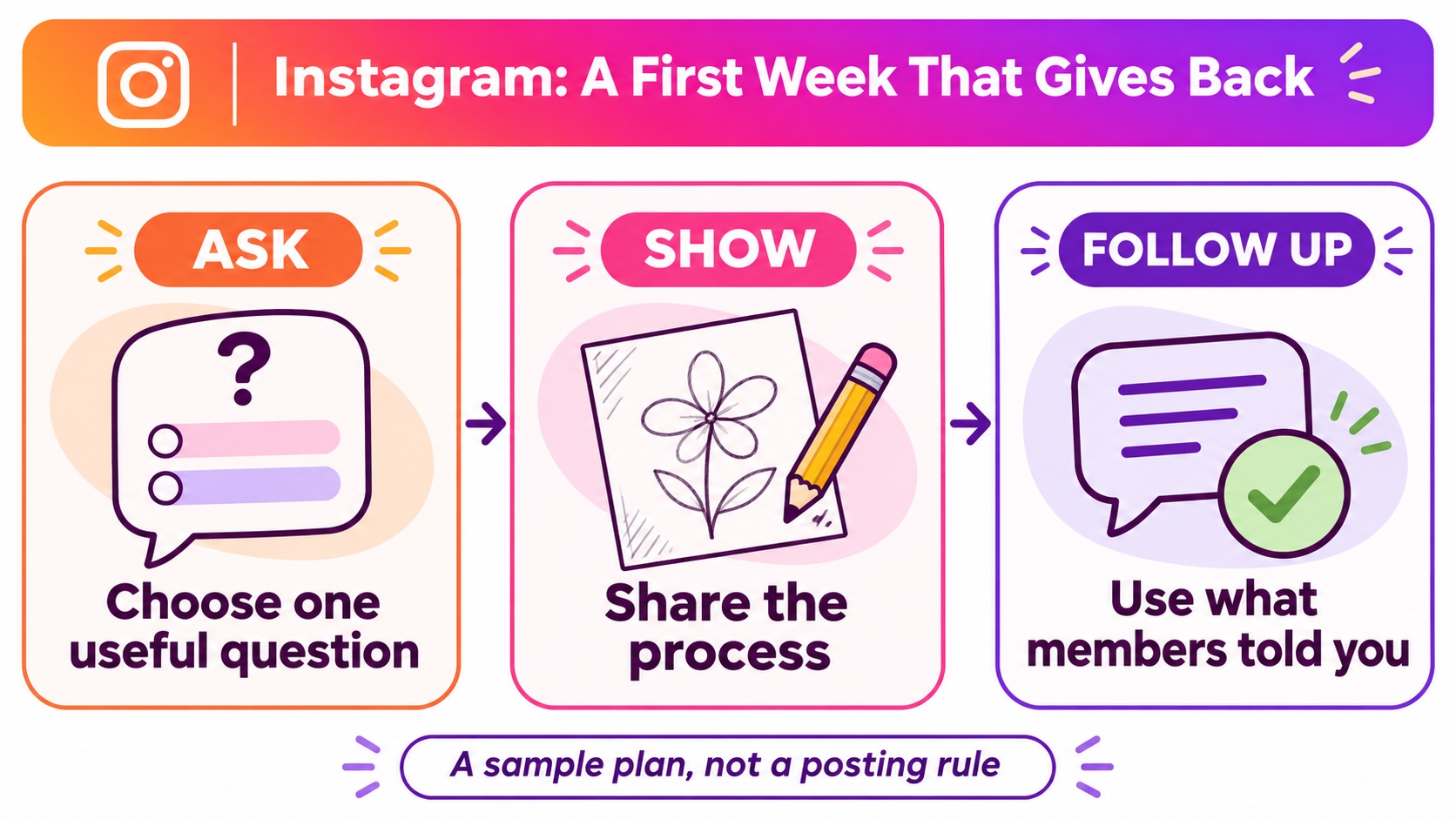
Imagine an illustrator preparing a series of neighborhood prints. The channel can show how the collection comes together while giving members manageable ways to contribute. Try this sample sequence:
- Ask: Share two rough compositions and ask which is easier to understand at a glance. Keep the question about one decision, rather than asking people to redesign the whole project.
- Show: Post a short voice note explaining one change. Include the sketch so members can connect the explanation to something visible.
- Follow up: Share the revised piece and explain which feedback influenced it. If you chose a different direction, say why.
The follow-up is what makes this sequence worthwhile. A poll without a later response can feel like a request for activity. Showing what changed tells members their time had a purpose. You can use the same approach for a tutorial, a performance rehearsal or a product demonstration without copying the illustration example.
Use replies without losing the thread
To enable replies, Meta’s channel update guide directs creators to the channel name, Channel controls and Allow members to reply to messages. Replies sit beneath the original message, helping keep separate discussions understandable.
Ask questions narrow enough to answer. “What confused you about the shading step?” gives someone a starting point. “Thoughts?” leaves them to decide what kind of response you want. Before opening a discussion, decide when you will return to read it and what help you can realistically offer.
Use a prompt when you want a focused contribution, such as a photo of a practice sketch. Explain what people should submit and what you will do with the responses. Avoid asking for personal details that the exercise does not need.
Invite people with a useful preview
You can share a channel invitation link, show the channel on your profile or share a channel message to Stories. A useful preview works better than a vague invitation: show the color comparison and explain that channel members will see the revised version later.
Make the profile behind that invitation coherent. For anyone comparing Instagram followers for sale, this service supports the follower count on your public profile. Channel membership remains a separate choice, and the package does not promise feature access or participation. Give visitors recent work and a clear channel description so they can decide whether to join.
Before adding another recurring feature, ask whether you could sustain it during a busy week. A promise to critique every sketch creates a different workload from sharing one demonstration. Set expectations early: explain whether you will answer selected questions, collect ideas for a future post or simply invite members to compare their approaches. A smaller promise you consistently keep is easier for followers to understand and trust.
Review what members actually use
After a few updates, compare the available channel insights with the questions people asked. Did the process photo produce useful replies? Did members share the tutorial announcement? Record the message type and the next action it supported. Keep the formats that help people, simplify the rest and let the channel earn its place in their inbox.