What this package measures
Live viewers are associated with an active broadcast. A package cannot add viewers to a stream after it ends, and viewer count does not imply comments, follows or watch duration.
Choose the right Instagram service
For a scheduled stream, prepare the broadcast, confirm that the account is public, and order once the Live is active. Use regular video views for a published video instead.
Need a different format? See Instagram Video Views or browse all services.
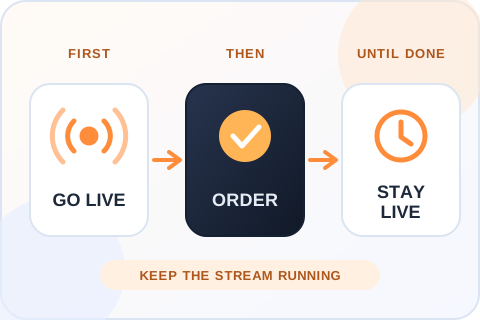
Go live before placing the order
An active broadcast is the destination for this service. Prepare your title, lighting, connection and opening segment first. Start the Live, make sure it is accessible from the public account, and only then continue with the package. An order placed after the stream ends cannot put viewers into the finished broadcast.
Allow time for delivery
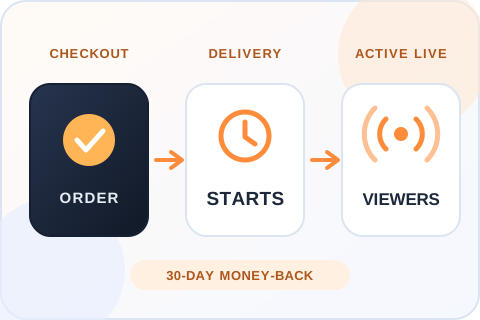
The stream must stay live while the order is processed. Larger packages may need more time, so a five-minute broadcast is a poor fit for a large viewer package. Keep a clear run of show and allow space for late arrivals rather than treating the count as an instant switch.
Know what a Live viewer count means
A viewer count is not a promise of comments, likes, watch duration or sales. Use your own Live Insights after the broadcast to assess how long people stayed and whether the stream generated the actions you wanted. For an uploaded recording or video post, use the regular video-view service instead.
What Instagram says about going live
Instagram’s own Live guide says it “will notify all your followers or Close Friends depending on the audience you select” when you go live, and that you can schedule a Live in advance so people get reminders. It adds that once the video ends, “you can share it on your profile as a reel”. A viewers package works only during the broadcast. Anything that comes after the stream, such as the Reel made from it, is a separate piece of content with its own numbers. Source: Instagram Live Tips and Tricks.
Plan the opening minutes
The start of a Live can be the quietest part, because followers are only now getting the notification. Open with a segment that still works for a small room: say what the stream is about, what is coming and how long you plan to stay. Place the order once the broadcast is stable, and keep going long enough for processing. A stream that ends after five minutes gives neither your followers nor the order enough time.
Before you order
Live fulfilment is time-sensitive. The broadcast needs to remain available long enough for the order to be processed; larger packages can take longer.
Buying a metric can change a displayed count, but it cannot guarantee broader distribution, lasting engagement or sales. Review the result alongside your content quality and the account's own Insights.