
How to Create Instagram Highlights That Answer Questions
Instagram Highlights let you keep selected Stories available after their normal Story window ends. For a creator or business, the useful question is not how many collections to add. It is which answers a visitor should find without sending you a message or searching through old posts.
Think of a clothing maker whose visitors repeatedly ask about fit, materials, and care. Three short collections answering those questions can do more for a first visit than a long collection called “Everything.” Start with what people need to know, then build the Highlight around that job.
Create a Highlight from selected Stories
Open your Instagram profile and look for New near the top right. Instagram’s current Android instructions say that, if New is absent, you can tap Story highlight instead. Choose the Stories you want to include, continue with Next, then select a cover and enter a name. Finish with Done.
The placement and labels can differ between app versions, so use the controls available on your account. You can also add an active Story by opening it, tapping Highlight at the bottom right, and choosing an existing Highlight. To change a collection, press and hold it on your profile, then choose Edit Highlight.
These are collections of Stories, not ordinary feed posts placed into a folder. If a useful answer exists only as a feed post, prepare a Story version that makes sense on its own. Include the essential context rather than assuming visitors have already read the original caption.
Do not confuse curated Highlights with Lately
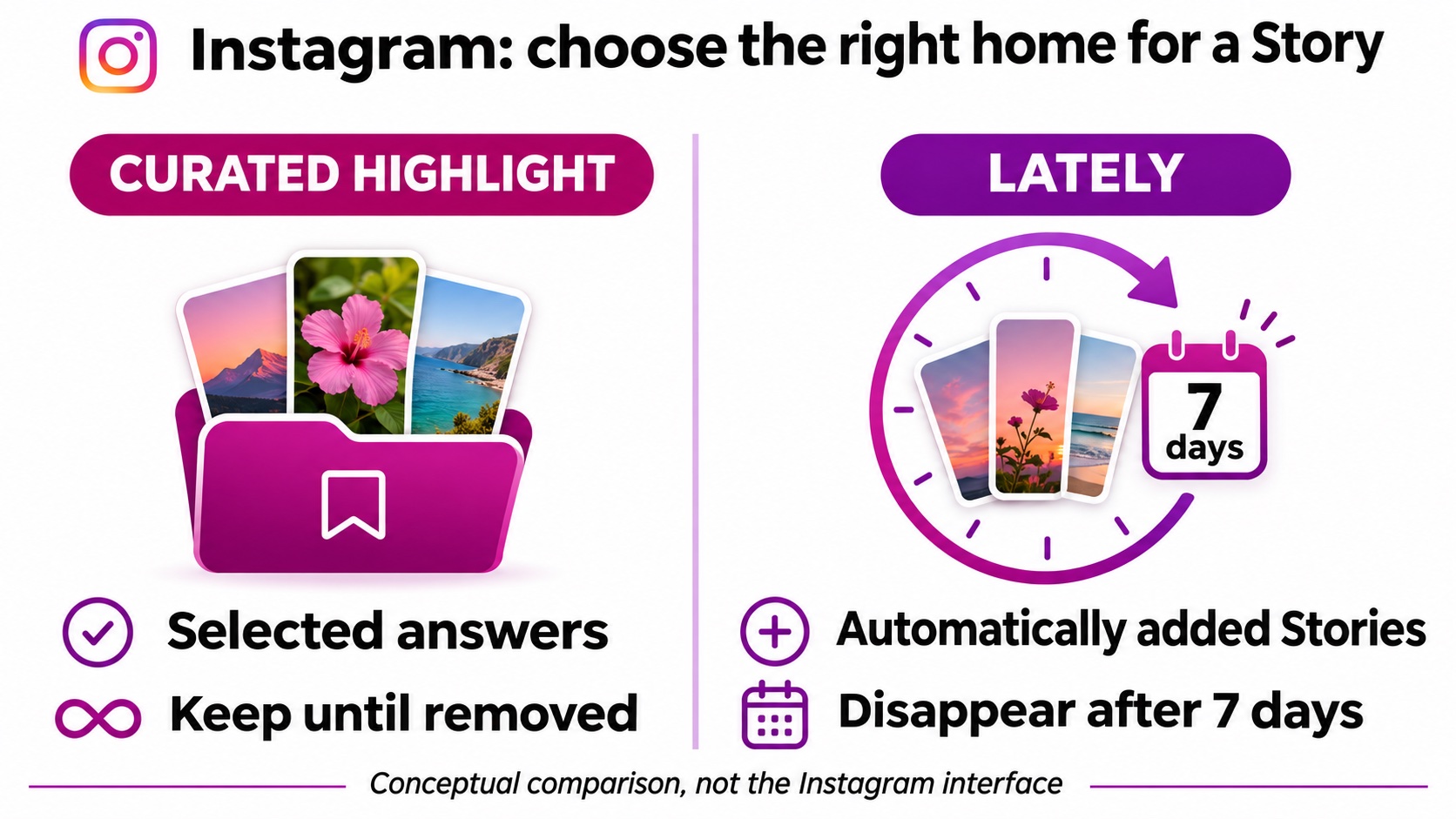
Instagram now describes another option called Lately in its Highlight instructions. In the current Android guidance, you manage it through Edit on your profile and the Show lately toggle. It automatically groups recent Stories, and Stories disappear from Lately after seven days.
A curated Highlight works differently: the Stories you choose remain visible until you remove them. That distinction matters when saving information customers will need next month. A recent update can belong in Lately; a carefully prepared sizing explanation deserves a collection you maintain deliberately.
Highlight visibility also follows the audience permissions for the Stories involved. Saving a Story does not make it appropriate for every audience or replace its privacy settings. Check the profile from an account representing the intended viewer before relying on it as a public reference.
Give each collection a single reader question
For the clothing maker, a Fit Highlight could answer “How do I choose my size?” Its first Story explains how to measure an existing garment. The next shows where the measurements appear in the product listing. A final Story tells visitors where to ask if they fall between sizes.
Keep care instructions in a separate collection. Someone checking washing guidance after buying should not need to tap through a launch announcement and a fabric supplier interview first. Dividing collections by customer task makes the profile easier to use at different stages of the purchase.
Write the question before choosing the Stories. Then review each candidate: does it help answer this question, or is it merely related to the business? A beautiful backstage clip may deserve its own collection, but it should not interrupt an instruction someone is trying to follow.
Choose names and covers that survive a quick glance
Use short, familiar names such as Fit, Care, Shipping, or Start Here when those labels accurately describe the contents. Clever names need explanation, and the available display space is limited. Read the labels together on your profile to catch collections that appear to promise the same thing.
Choose a cover with one recognizable subject or a simple visual cue. Small text inside a cover often becomes difficult to read. A ruler symbol can support a Fit label; the label itself should still explain the destination. Keep contrast strong and avoid putting essential detail near the edges.
Visual consistency helps visitors recognize the collections as a set, but identical covers can make them hard to distinguish. Give each one a clear purpose. Check the actual profile on a phone instead of approving covers only as large design files.
Prepare active Stories before extending their life
A Highlight can only preserve what the Story communicates. Review the active version for readable captions, complete instructions, and an appropriate next step. An answer that depends on a vanished discount or an unnamed product will become confusing when someone sees it later.
If you want promotion for a current Story, our combined option lets you buy Instagram Story views and impressions. It applies to active public Stories, not archived Stories or Highlight collections. Views and impressions describe different aspects of exposure, and impressions can include repeat viewing; neither promises inquiries or purchases.
Choose that option when both measurements serve your promotion plan, then keep the useful answer available in a relevant Highlight. Distribution and organization have different jobs: one puts the active Story in front of viewers, while the other helps later visitors find what they need.
Give each collection an owner and a next review date in your content calendar. That assignment prevents useful information from becoming nobody’s responsibility once the original campaign or launch has ended.
Set a review date for anything that can change
Assign someone to review practical collections when products, policies, or availability change. A shipping estimate from a holiday campaign can remain visible long after it becomes inaccurate. Treat a Highlight containing dates or offers as something that needs maintenance, even if the design still looks good.
Use a small checklist: confirm the answer, open every linked destination, remove expired details, and check the cover and name. For an evergreen collection, review whether the opening Story still explains its purpose. Visitors should not have to reconstruct context from the middle of an old conversation.
Finally, ask a person unfamiliar with the account to find one answer. Give them a task, such as locating care instructions, and watch where they hesitate. Rename or simplify that collection before adding more. A useful profile makes the next step obvious.