
How to Quote Tweet on X: Steps and Useful Examples
Quoting a post on X lets you share someone else’s post with your own comment above it. To do it, open the post, select the repost arrows, choose the quote action, add your text, and publish. The original stays attached, so readers can see what prompted your response.
The more useful question is what to add. A quote can explain how an announcement affects your customers, put a statistic in context, or revisit advice you would now change. Here is how to quote tweet on X, plus ways to make your contribution worth reading.
How to quote a post on the app or website
Start with the original post open so you can read it fully. If it links to an article, read that too. A headline alone may leave out the detail your response depends on.
- Find the two arrows beneath the post and select that repost control.
- Choose the quote option from the menu. X’s help calls it “Repost as Quote”; wording can differ between versions.
- Write your comment in the composer above the attached original. Add media if it helps explain your point.
- Read both parts together, then use the submit button to publish your quote.
The same basic sequence applies on mobile and desktop. According to X’s quoting instructions, the embedded original does not use up your commentary’s character allowance. You can also quote one of your own earlier posts when you have a meaningful update.
After publishing, open your new quote from your profile. Check that the intended original is attached and your first sentence makes sense without extra explanation. Catching a mistaken source now is easier than explaining it after people start responding.
Choose between a quote, a repost, and a reply
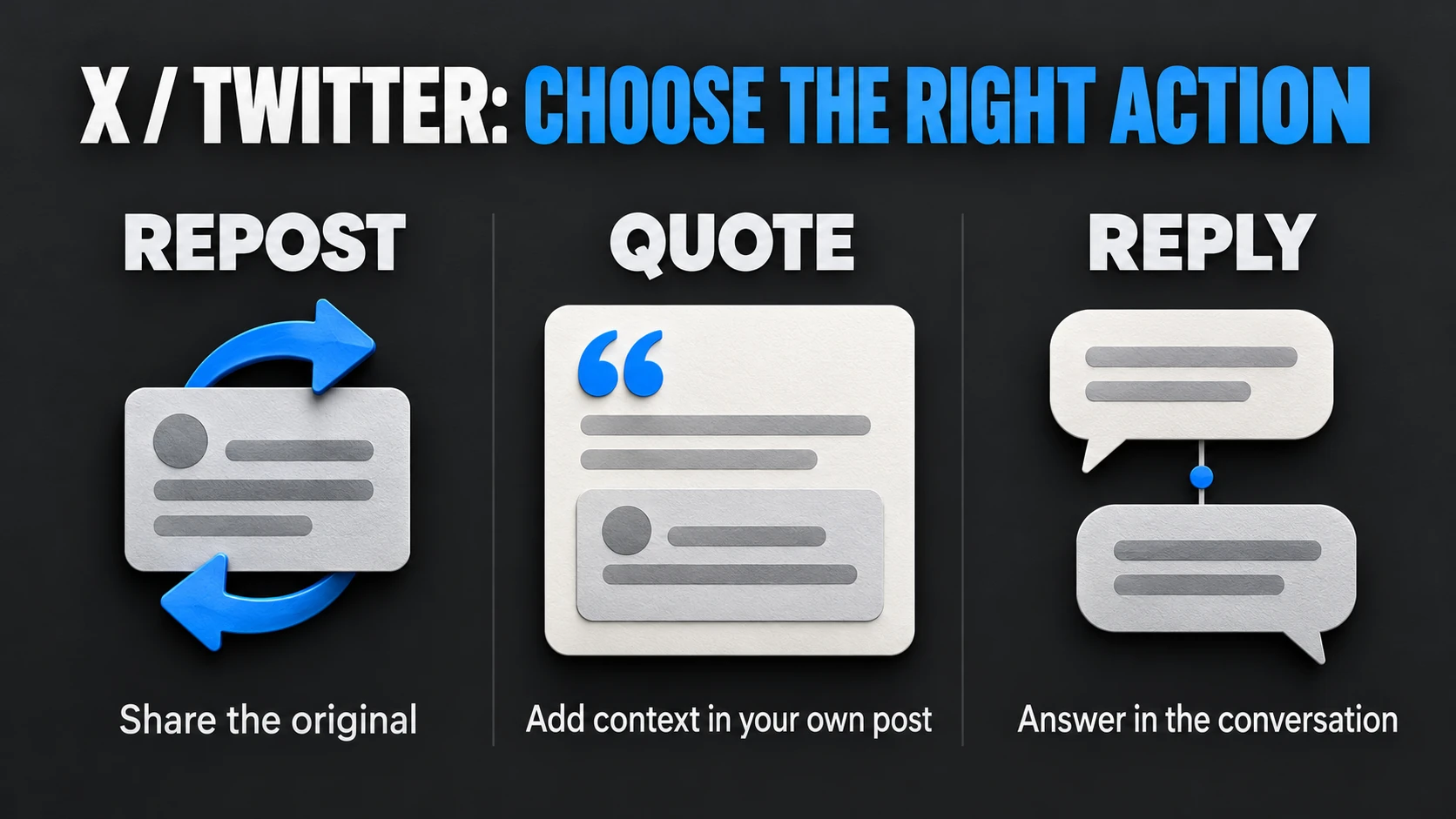
Use a repost when the original already says what you want your audience to see. Use a quote when you have something to add for readers of your own post. Use a reply when you want to answer within the existing conversation.
For example, a software company announces a revised export format. Reposting shares the announcement. Quoting could explain which setting customers should check before their next export. Replying could ask whether the change affects older files. Each action serves a different purpose, even though all three start from the same announcement.
A quick test helps: if you removed your comment, would the reader lose anything useful? If the answer is no, an ordinary repost may be enough.
Write commentary that earns its space
Consider this hypothetical situation: an event organizer posts that venue doors will open thirty minutes earlier. A participating workshop host wants to share the news.
“Great update!” gives people almost nothing beyond the original. A more useful quote could say: “Joining our afternoon workshop? The earlier opening gives you time to find the upstairs room before we begin. Bring the project file you want feedback on.”
That version identifies the relevant audience, explains the practical benefit, and adds preparation advice. It works because the host contributes information that belongs to their session. Only include details you can verify.
You can apply the same approach to other subjects:
- Explain a consequence. Tell readers what changes for them, rather than repeating the announcement.
- Supply a missing condition. If advice works only for certain accounts or situations, explain that limitation.
- Offer a useful next step. Name something readers can check, prepare, compare, or try.
One clear addition is usually enough. Avoid stuffing the comment with several unrelated questions, a sales pitch, and a string of hashtags. The attached post already supplies context; your job is to make the connection easier to understand.
Why the quote option might be missing
Check whether the source account is protected. X explains that followers cannot repost or quote posts from protected accounts using the repost control. That restriction applies even when you can read the post as an approved follower.
This differs from quoting a public post while your own account is protected. In that case, your quote’s audience is limited to your approved followers. A public source does not make your protected commentary public.
If the source is public and the expected action is unavailable, try opening the original directly rather than working from an embedded preview. Compare the app with the website and check for an app update. These are troubleshooting checks, not a promise that every missing control has the same cause.
Check an old quote before sharing it again
An attached announcement can age faster than your advice. Before resurfacing an earlier quote, reopen the source and check its dates, links, and conditions. If your comment needs a correction, make that correction clear wherever you share it next. To remove a quote, delete your own quote post; undoing an ordinary repost is a different action. Avoid leaving an outdated instruction circulating simply because it once performed well.
Share and measure the correct post
Your new quote has its own post URL. The original inside it has a different URL. Before sending a link to teammates or adding distribution, open your quote and copy its link. Check that the destination shows your commentary above the source.
That distinction matters if you decide to buy Twitter retweets for a useful quote you have already published. The service accepts the quote’s own post URL and supplies ordinary reposts of that post. It does not write new quote commentary. Reposts can help circulate your contribution, while relevance and clear writing give readers a reason to engage. They do not guarantee reach, replies, or sales.
Keep the formats separate when reviewing results. X reports reposts and quotes separately; a repost count is not a count of new comments. Look at whether replies address your added point and whether readers take the next step you suggested.
For your next quote, choose one public post relevant to your audience. Add a specific, useful explanation, check the source, and verify your new link. A useful quote should leave readers understanding something they would have missed from the original alone.