
Twitter Lists: Build a Useful Feed for Your Business
Your main X feed can mix industry news, customer questions and conversations you opened out of curiosity. Twitter Lists, still called Lists on X, let you collect selected accounts into a separate reading feed. They are useful when you need to follow a subject without relying on whatever catches your attention first.
A good List has a job. It might help a designer track accessibility discussions, a musician follow local venues or a small retailer find recurring product questions. Start with the decision you want to make, then choose the accounts that can help you make it.
What Twitter Lists do
A List groups accounts around a topic you choose. Opening it shows their posts together. You can create your own Lists, follow public Lists made by other people and pin favorites near your home timeline. Following a List is separate from following every account inside it.
Public Lists can be followed by other users. A private List is visible only to its owner. Neither type is a mailing list: adding accounts does not create a way to send one message to everyone. Treat Lists as a reading and organization tool.
Create your first List
In the X app, open your profile menu, select Lists and choose the new List icon. Enter a name and description, choose whether it should be private, then save it. The X Help Center limits names to 25 characters and says they cannot begin with a number. Public is the default, so check that setting before saving.
Give the description a selection rule. “People explaining practical web accessibility” is more useful than “Interesting accounts.” It tells you why an account belongs and helps prevent the List from becoming another crowded general feed.
Use the List’s member or editing controls to manage its accounts. Read recent posts before adding someone. A relevant biography is a starting point, but the material they actually publish determines whether they will improve your reading.
Choose public or private for a reason
A public List can serve your audience. A community theater could collect local arts reporters, accessible travel resources and nearby cultural organizations. A short description would explain the connection, while periodic maintenance would keep the resource useful.
A private List makes sense for unfinished research. You might be comparing suppliers or collecting examples for a project that has not been announced. Review the privacy setting whenever you create a new List rather than assuming it inherits the setting you used last time.
Private does not mean complete access. According to X’s List troubleshooting guidance, protected posts remain restricted to approved followers. A List also may not show every reply in a conversation. Open the original discussion when you need its full context.
Build a feed with different kinds of evidence
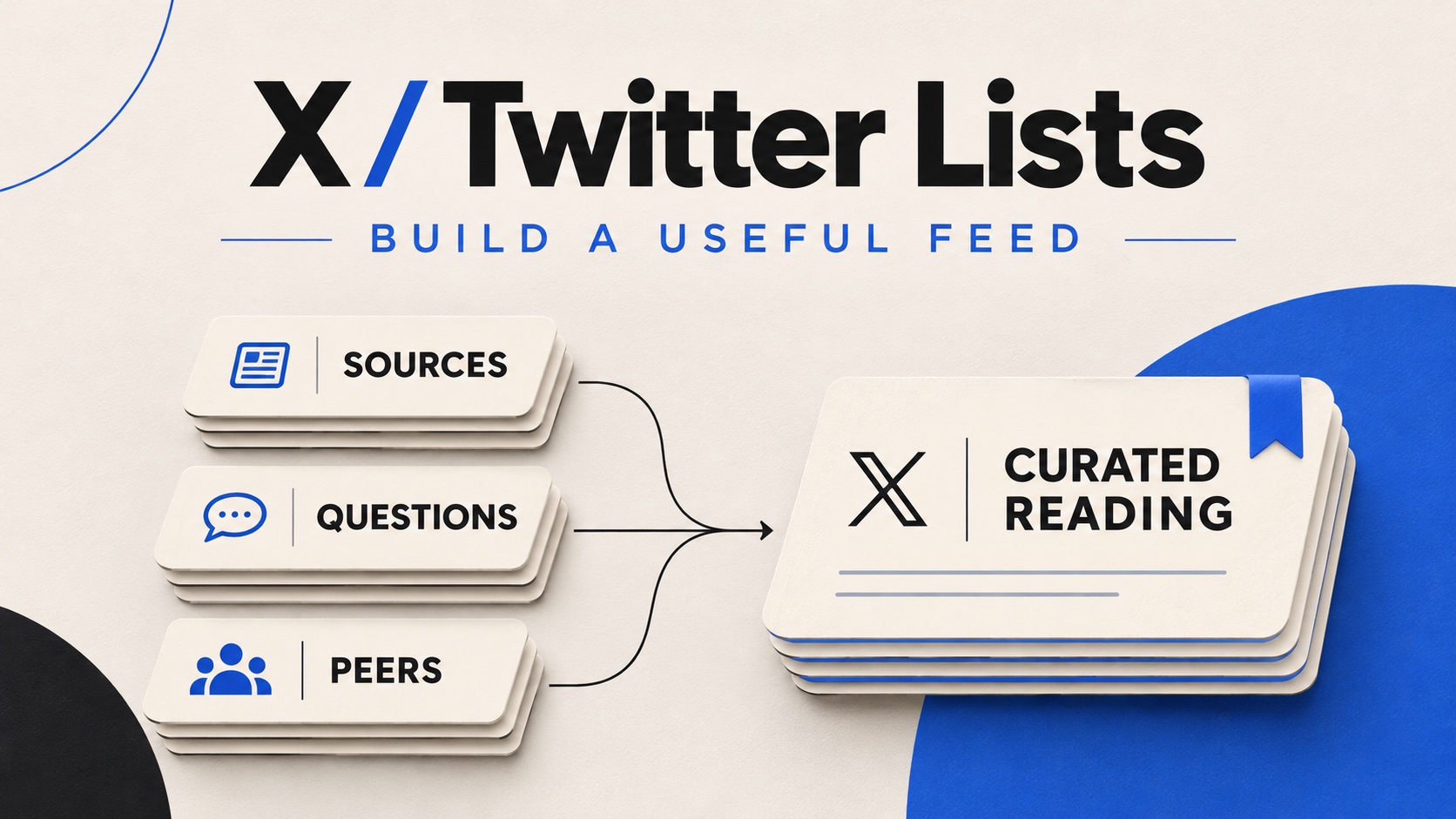
For a business, three kinds of accounts often belong in the same research routine. You can keep them together initially, then separate them if one type overwhelms the others.
- Sources: Organizations or specialists who publish information you can verify. Look for original announcements, detailed explanations and links to supporting material.
- Questions: People discussing the practical problems your audience faces. Read for uncertainty and missing explanations, without assuming one person’s concern represents everyone.
- Peers: Creators and businesses working on related problems. Notice their examples and presentation choices, then develop your own explanation rather than copying their wording.
For example, an outdoor clothing shop might follow a fabric specialist, local walking groups and independent repairers. Together, those accounts can reveal the difference between a manufacturer’s care instructions and the questions people ask when a jacket gets muddy. The shop still needs to verify any advice it publishes.
Turn a useful observation into an original post
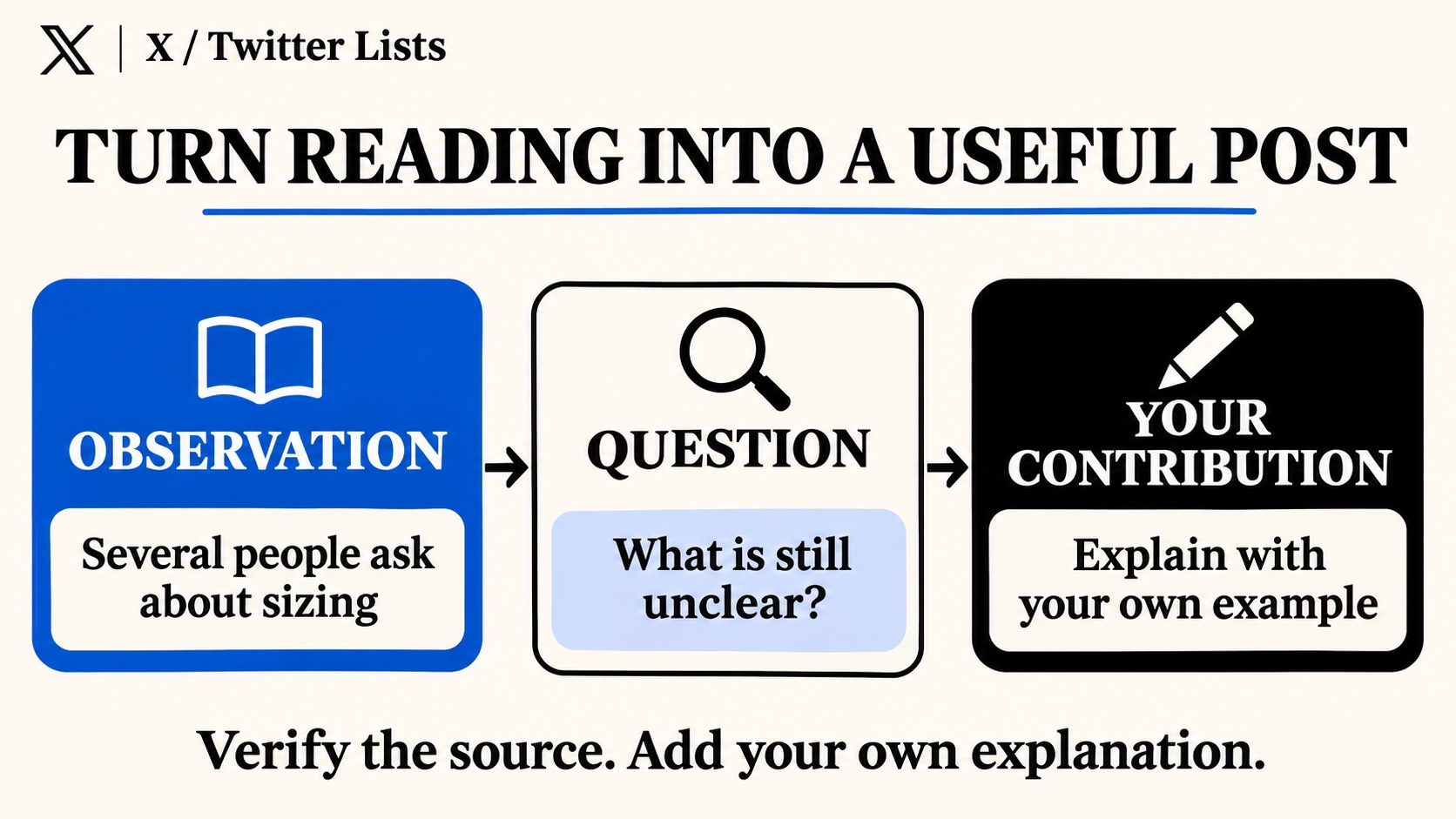
Reading becomes productive when it leads to a clear next action. Keep a small note with three fields: the observation, the unanswered question and the explanation you could contribute. Save the original link so you can check the context later.
Suppose several public conversations mention confusing size charts. The observation is that people are unsure where to measure. The question is whether a diagram would make the instructions clearer. Your contribution could be a demonstration using your own product and measurements, with labels that match the chart on your website.
That is a stronger starting point than rewriting a competitor’s “five sizing tips.” You have identified a particular gap and can answer it with material you control. Before posting, check whether the question is already answered clearly in your existing content; an update may be more useful than another repetitive post.
Keep discovery separate from audience building
Lists can improve the material you read and the questions you notice. They do not automatically put your own posts in front of those accounts. Publish useful responses on a profile that explains who you help, then join relevant discussions when you have something specific to add.
If you are comparing how to buy Twitter followers, review the package details alongside that content plan. A follower package concerns your profile’s follower count; it does not make those accounts members of your research List or guarantee replies. Keep your latest posts clear enough that a new visitor can understand the account’s purpose.
Maintain the List you actually read
Give each saved observation an expiration date appropriate to the subject. A platform announcement may need checking again before tomorrow’s post, while a recurring sizing question can stay useful longer. Delete notes that no longer support a real question. Otherwise, your research folder can become another unread feed.
Pin the List you use most, then give it a short review after several reading sessions. Remove accounts that repeatedly take you away from its purpose. Split a crowded List only when the distinction will help you find something faster.
Judge the result by what it helps you do. Did you find a reliable source, answer a customer question or develop a better example? A small, well-chosen List that supports one of those actions is more useful than an impressive collection you never open.