
YouTube Shorts Analytics: What to Check and What to Change
A Short gets more views than usual, but the next upload barely moves. Before filming another version, use YouTube Shorts analytics to separate how people found the video, whether they kept watching, and what they did afterward. Those answers help you decide whether to change the opening, shorten an explanation, or make the next video easier to find.
Start with a question you can act on: which part of this Short should I improve? A bigger view count alone cannot answer that.
Find the report for your Shorts
On a computer, open YouTube Studio, choose Analytics, then Content, and select Shorts. YouTube’s Content tab guide explains the available reports. Check the date range before comparing anything. Use See more or Advanced mode when you need a closer comparison.
Keep a simple note beside the dashboard: the video’s topic, its opening shot, its length, and the action you wanted viewers to take. Numbers become easier to interpret when you can connect them to something you actually filmed.
Separate plays from attention
According to YouTube’s Shorts documentation, a view counts when a Short starts playing or replaying, without a minimum watch time. That makes views useful for tracking playback activity, but they do not tell you how many people watched the explanation.
Read these measures alongside the view count:
- Engaged views count occasions when viewers continued past the opening seconds; loops are excluded.
- Stayed to watch shows the percentage of occasions when viewers kept watching beyond those initial seconds.
- Average view duration describes how long those who stayed watched, using engaged views and their corresponding watch time.
- Average percentage viewed expresses that viewing time relative to the video’s length, also using engaged views.
- Subscriber changes help you consider whether a topic gave people a reason to follow the channel.
YouTube’s metric definitions keep these measures distinct. Avoid treating engaged views divided by total views as a substitute for the reported Stayed to watch percentage. Replays and different reporting scopes can make that shortcut misleading.
Make the comparison fair
Compare Shorts with similar purposes and lengths. A quick product reveal and a detailed repair demonstration ask different things of the viewer. Their averages need context.
Choose the same amount of time after publication for each comparison. A video published yesterday has had less time to collect views than one published last month. Note any promotion or outside sharing, too. A newsletter link can introduce an audience that behaves differently from people encountering the Short while scrolling.
Look for a pattern across several relevant uploads. One unusually successful video makes a poor standard for every recording session.
Before leaving the report, note exactly which traffic source supplied most views. If search contributed heavily, inspect the listed search terms. A question about tire pressure before commuting could suggest a different follow-up than a question about fixing a puncture.
Read the comments beside those numbers. If several people ask where to find the recommended pressure, your next video has a clear teaching task. Show the detail they missed, and answer the question in language a complete beginner can understand.
A repair shop example
Imagine a bicycle repair shop comparing two Shorts about checking tire pressure. This is a hypothetical editing exercise, not a customer result.
Both videos answer the same question and have similar lengths. The first begins with the shop logo and a spoken introduction. The second opens with a close view of the tire and the pressure recommendation printed on its sidewall.
Suppose the second Short has a stronger Stayed to watch result during a comparable period. That gives the shop a reason to test a direct opening again. It does not prove the opening caused the difference; the videos may have reached different people.
Now inspect where viewers leave. If attention falls during the pump explanation, watch that moment yourself. Is the gauge readable? Does the narration describe something the camera fails to show? The next recording could move closer to the gauge while keeping the rest of the explanation familiar.
That is a specific test with a clear purpose. Replacing the opening, music, topic, and camera angle together would make the next result much harder to interpret.
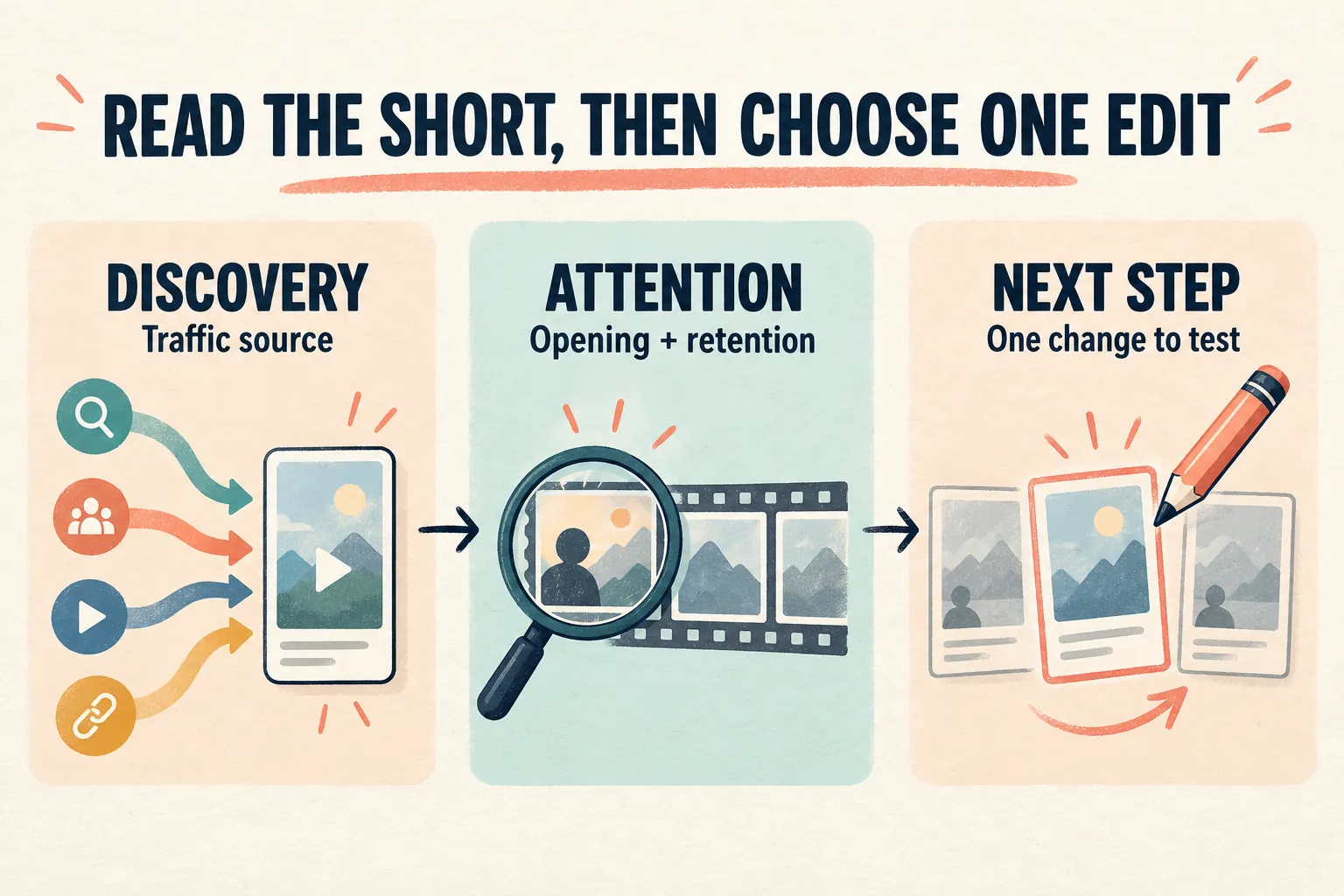
Turn the report into an editing decision
Use the numbers to choose what to inspect, then watch the footage:
- If fewer viewers stay than on comparable Shorts, review the first frame and whether the opening makes the subject clear.
- If viewers stay initially but leave during the explanation, check for repetition, unreadable details, or a promised answer that arrives too late.
- If viewing holds up but subscriber response is weak, consider whether the channel offers a recognizable reason to return.
A percentage identifies something worth investigating. It cannot tell you, by itself, that a particular edit will produce more reach.
Keep promotion visible in your notes
Paid distribution can put a selected Short in front of additional viewers. If you choose to buy Shorts views, Boost Social Media describes its service as views delivered through YouTube ads to the specific Short you select. The package concerns its public view count; it does not promise engaged views.
Record when promotion starts and check the traffic sources available in Analytics. YouTube identifies advertising traffic separately. Compare organic discovery with an appropriate organic baseline before attributing a change to the video’s opening or pacing.
Choose content that already answers a useful question and remains understandable to someone unfamiliar with your business. Additional exposure gives that content a chance to be seen; the explanation still needs to earn attention.
Leave with a recording plan
Finish your review by writing one instruction for the next shoot. For the repair shop, that might be: open on the tire, show the printed pressure range clearly, and keep the gauge in focus during the demonstration.
Save the observation that prompted the change. After the next upload has had a comparable amount of time, revisit the same measures. You will have a concrete decision to assess instead of another view count to stare at.