

A useful LinkedIn connection request gives the recipient a reason to recognize you. Mention the conversation, project, or exchange that brought you together, then explain why you want to stay connected. You can usually do that in two short sentences.
The LinkedIn connection request message examples below show how that sounds in everyday business situations. Each is an original, hypothetical note. Replace the names and details with your own, and only describe something that actually happened.
Five short notes you can adapt
These examples are under 200 characters, including spaces and punctuation. Counts exclude the surrounding quotation marks. Your replacements may change the length, so check the counter before sending. LinkedIn’s invitation guidance explains how to add a note; your account shows its current allowance.
1. Someone you spoke with at an event
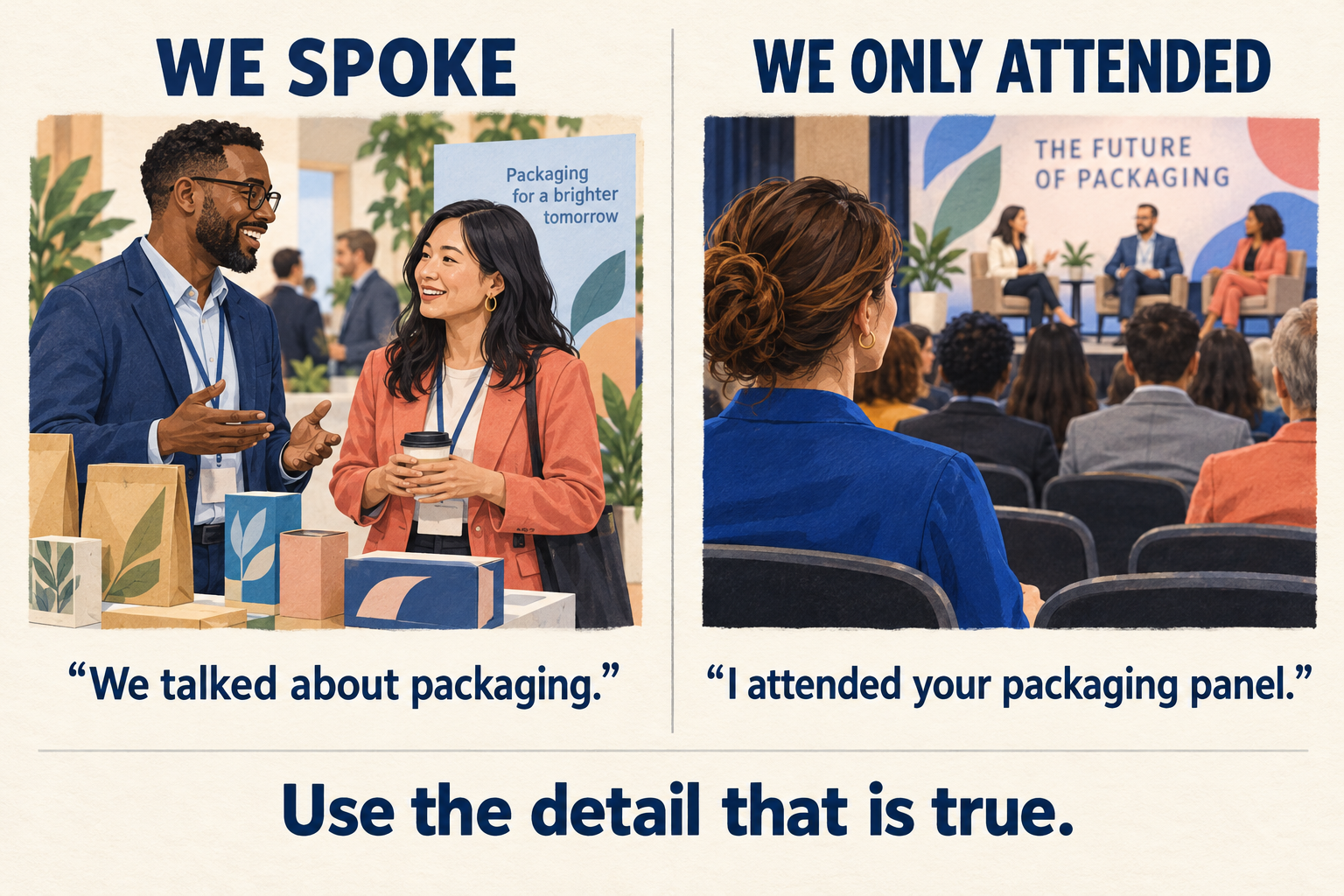
“Hi Maya, we talked about packaging at the makers market on Saturday. I’d like to stay connected and hear how your refill project develops.”
138 characters, including spaces.
That detail gives Maya a way to place you. Keep the part of the conversation you both remember. There is no need to squeeze your entire business pitch into the invitation.
2. A former collaborator
“Hi Alex, we worked on the bakery photo shoot last spring. I’m updating my professional contacts and would be glad to stay connected here.”
137 characters, including spaces.
Use the shared project when your name alone might not be enough. If you worked together through an agency, mention that agency instead. The purpose is to make recognition easy.
3. A workshop speaker you have not met
“Hi Jordan, I attended your workshop on accessible websites. Your keyboard navigation demo helped me review my shop’s site. May we connect?”
138 characters, including spaces.
This acknowledges the actual relationship: you attended and learned something. It does not pretend you had a conversation. If you simply want to read someone’s public posts, following them may suit you better. LinkedIn explains the difference between following and connecting.
4. A peer you have exchanged comments with
“Hi Sam, thanks for discussing product photography with me in yesterday’s comments. I photograph ceramics too and would like to keep in touch.”
141 characters, including spaces.
Send this after an actual exchange. A shared specialty explains the connection without implying that the other person needs your services. Check that your profile makes that specialty clear.
5. Someone who agreed to an introduction
“Hi Priya, thanks for agreeing to Elena’s email introduction. I run the print studio she mentioned and would be happy to connect here.”
133 characters, including spaces.
Refer to the introduction only if it happened and the recipient agreed. Seeing a mutual contact on a profile is different from receiving a recommendation. Do not put that contact’s name behind a claim they never made.
Change the wording when the situation changes
Suppose you want to adapt Maya’s example after attending a packaging panel. You recognized the speaker afterward but never spoke. Keeping “we talked” would turn a convenient template into an inaccurate introduction.
Write this instead: “Hi Maya, I attended your packaging panel on Saturday. Your refill example raised a useful question for my shop. May we connect?”
127 characters, including spaces.
The invitation now explains where your interest came from. If Maya replies, be ready to ask the actual question. Avoid inventing a compliment simply because the template has room for one.
A practical editing test is to underline the detail that belongs to this recipient. If you could send the note unchanged to twenty unrelated people, replace the vague line with something specific. If you have no such detail, spend more time learning about the person’s work before deciding to connect.
Add the note before you send
On desktop, open the member’s profile, choose Connect, then Add a note. Enter your message and review it before sending the invitation. On mobile, LinkedIn’s guidance directs you through More and Personalize Invite on the profile.
Use the profile route when you want to write a note. Some quick invitation surfaces work differently. Read the visible controls rather than assuming a second screen will always appear.
Account allowances can differ, and LinkedIn changes its features. Check the remaining allowance and character counter shown to you. A longer available limit is not a reason to add another paragraph.
Before sending, check the recipient’s current role and spelling. Old event lists and saved templates can be out of date. Read the message aloud once, remove any detail you cannot explain, and confirm that you selected the intended person’s profile.
Give the recipient somewhere useful to land
Your invitation may prompt someone to open your profile. Make sure its headline explains your work and its recent experience matches the note. A shop owner mentioning product photography should have a relevant example that visitors can find.
Choose one useful post to support that introduction: a lighting comparison, a packaging decision, or an explanation of your process. Give readers enough context to understand the work without arranging a call. This also gives a new connection something concrete to discuss later.
If increasing your profile’s network size is also a goal, you can buy LinkedIn connections through Boost Social Media. The service sends invitations to your personal profile, and you choose which to accept. It does not send these personalized notes for you or promise business inquiries. Keep useful posts and thoughtful conversations part of your ongoing networking.
After someone accepts, continue the conversation
Return to the subject that gave you a reason to connect. Thank a former collaborator, answer the question from your comment exchange, or send the resource you already offered. There is no need to introduce a new sales pitch immediately.
For the packaging example, a helpful follow-up might share the supplier information you discussed, with a sentence explaining why it is relevant. Ask before sending a large document or adding someone to a mailing list. An accepted invitation opens a connection; the next exchange should give both people a reason to keep talking.