
TikTok Creator Search Insights: Find Your Next Video

A useful TikTok video often starts with a question someone is already trying to answer. Creator Search Insights helps you find those questions, explore related videos, and review how your posts perform in search. The opportunity is to make a clearer answer, not simply repeat a popular phrase.
For a business, that can turn an ordinary customer question into a demonstration. A plant shop could explain how to choose an outer planter that fits a nursery pot. The viewer gets a practical answer; the shop gets a chance to show its judgment before asking anyone to buy.
Open Creator Search Insights and explore one topic
In the TikTok app, search for Creator Search Insights, then tap View. TikTok describes the tool as a source of personalized topics people are searching for. If personalization is turned off, the information is not personalized. Start with a topic close to what you actually make, sell, or explain.
Tap a suggested topic to inspect its search popularity, related searches, and related videos. Save promising topics to Favorites so you can compare them later. You can also start creating a video from a topic, but there is no need to rush into recording before deciding what your answer will show.
The Content gap filter can help you investigate topics needing more content. Searches by followers is a separate filter, available when you have more than 1,000 followers. That threshold applies to the follower filter, not to every use of the tool. Check TikTok’s current instructions if the options on your account differ.
Decide whether the question belongs on your account
Popularity is only one part of the decision. A topic can attract attention from people who will never need your business or enjoy another video from you. Before choosing it, write down who is asking, what they need to decide, and what you can demonstrate without borrowing someone else’s experience.
Consider the planter example. “Which planter fits?” is useful to a shop that can show two pots side by side. A broad celebrity gardening trend might bring a different audience. Choose the question that lets you show a real distinction: the size of the inner pot, the opening of the outer container, and whether the fit leaves room to lift it out.
Read related searches as clues about missing context. Someone asking about size may also be confused about drainage or the difference between a decorative cover and a growing container. You do not need to cover everything in one video. Pick one decision and keep the others as possible followups.
Build the answer before writing the hook
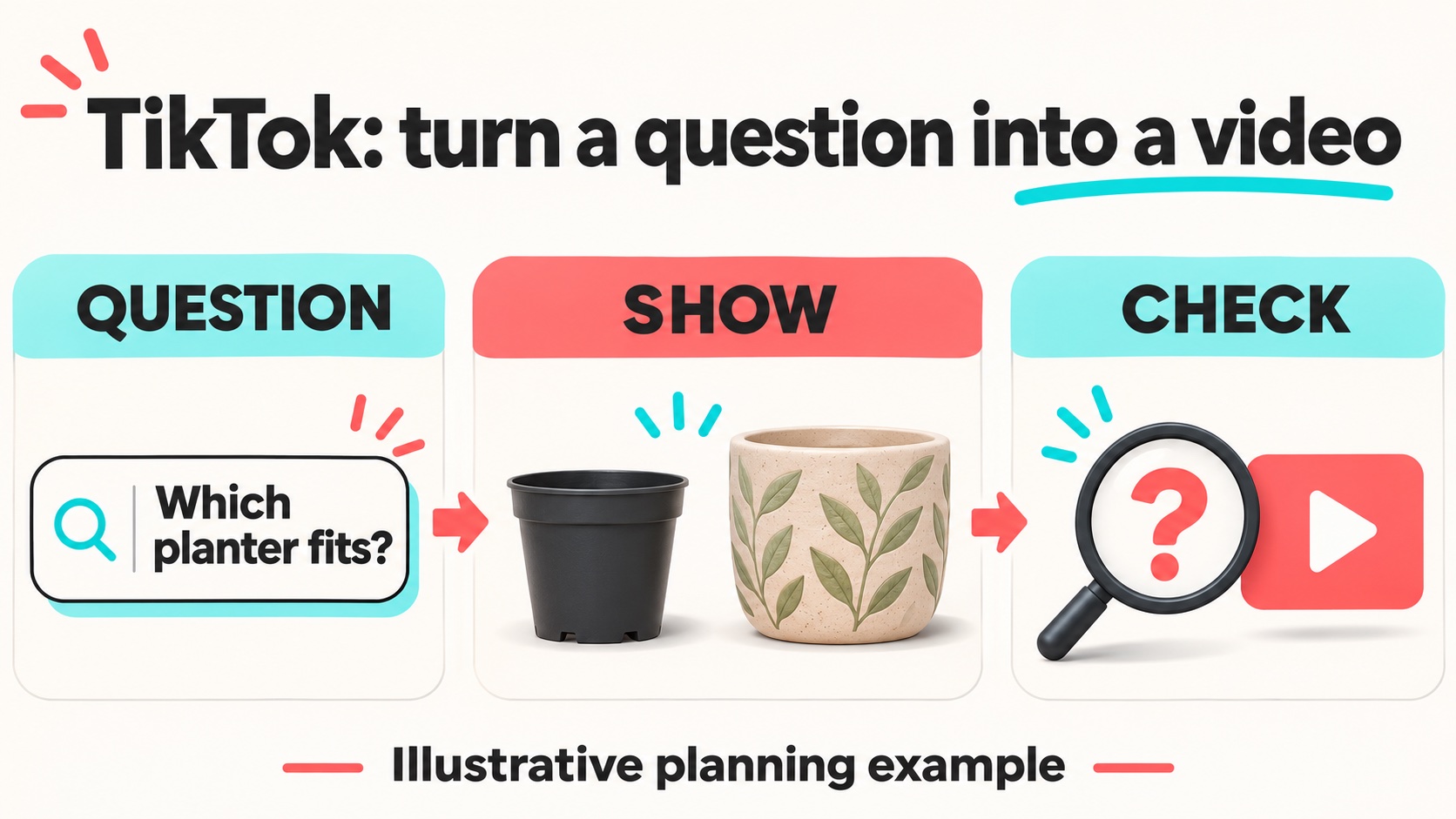
Make a short planning card with three lines: the viewer’s question, the visible answer, and the limitation. For our hypothetical shop, the question is choosing a planter size. The visible answer is a fit comparison. The limitation is that this video covers choosing an outer container, not diagnosing plant health.
Now write an opening that matches what you will show: “Before buying an outer planter, check whether your nursery pot can slide in and lift out.” Put the objects on screen immediately. An introduction about your shop’s history can wait; the viewer arrived with a practical problem.
Record the comparison from an angle that makes the difference obvious. Label the objects consistently, and explain the result in ordinary language. If a measurement matters, show where you took it. Finish by stating the next action, such as checking the pot already at home before ordering a new container.
Consider saving a still frame from the comparison for your own planning notes. Write what the viewer can learn from that frame without your narration. If the answer is unclear, the demonstration may need a closer angle or a simpler arrangement. This small check helps you catch missing visual information before spending more production time on captions, music, or another complete take of the entire explanation.
Use the search language without repeating it everywhere
A phrase from Creator Search Insights can help you describe the video accurately. It does not need to appear in every sentence. Use a clear spoken explanation, readable on-screen wording, and a caption that tells viewers what the demonstration covers. Keep related terms only when they add meaning.
A caption such as “Choosing an outer planter: compare the opening and check that the inner pot lifts out” is more useful than a list of loosely related gardening searches. It describes the actual lesson. Someone who clicks should find the answer they expected, without sitting through unrelated advice.
Review the finished video before sharing it. Can someone understand the comparison with sound off? Does the narration explain anything the picture cannot? Are labels readable on a phone? Fix those gaps while the footage is still easy to change.
Give promotion a specific job
Once the answer is clear, decide whether it deserves additional distribution. If you choose to buy real TikTok views, use a public video that represents the topic you want people to associate with your account. Our service supports promotion of the selected video; it does not turn a weak answer into a useful one or guarantee search placement.
Keep the next step relevant. A planter comparison might point viewers toward a sizing guide or invite a question about their existing pot. Asking for every possible interaction can distract from the task. Make it easy for an interested viewer to continue learning.
Review what the next viewer still needs
Return to search analytics in Creator Search Insights after publishing. TikTok provides views for All posts and Inspired posts, allowing you to examine search performance in the tool. Keep a simple note of the question each video answered so that later comparisons have some context.
Combine those observations with the questions people leave. If viewers keep asking how to measure the opening, that suggests a useful followup. If they misunderstand which pot you mean, revise the labels. The next video should resolve a specific gap you noticed, rather than stretch the same answer into another upload.