
How to Reply to a TikTok Comment With a Video
To reply to a TikTok comment with a video, open the comments on your own video, select the comment, and tap the camera icon beside the comment field. Record your answer, keep the comment visible as a sticker, and publish. The response becomes a new video with a connection to the original conversation.
The useful part is what you show. A viewer who asks whether a planner lies flat needs to see the pages open while someone writes. That question can become a clear demonstration for everyone considering the same product.
Find the comment and record your reply
TikTok’s official video-reply tutorial documents this process. It was published in 2020, so treat its screenshots as a guide to the feature, rather than an exact match for every current app layout.
- Open a video you posted in the TikTok mobile app and open its comments.
- Select the comment you want to answer. Look for the camera icon beside the comment field.
- Tap the camera and record a response that answers that specific question.
- Include the comment sticker so viewers can see what prompted the video. Place it where it will not cover the detail you are demonstrating.
- Review the video and publish when the answer is complete.
According to TikTok’s tutorial, the video appears on your profile and in the original comment conversation. Check both places afterward. Someone arriving at the reply through your profile should be able to understand it without watching the earlier post.
Use this method for comments on your own videos. It is different from making a regular post that happens to quote a question. If you publish a separate explanation without starting from the comment, do not assume it has the same connection to that thread.
Decide whether the question needs a video
A short factual answer often belongs in text. If someone asks what color a notebook is, naming the color may settle it. Recording a new video for every simple question can make a helpful conversation unnecessarily slow.
Choose video when the answer depends on something people need to see or hear: a technique, a comparison, a fit check, or a sound. Read the whole comment before filming. “Can you show the inside?” asks for a different answer than “Which size fits in this bag?”
A useful test is to finish this sentence before recording: “By the end, the viewer will be able to see…” If the only ending is “that I replied,” a text response may do the job.
Turn one question into a complete demonstration
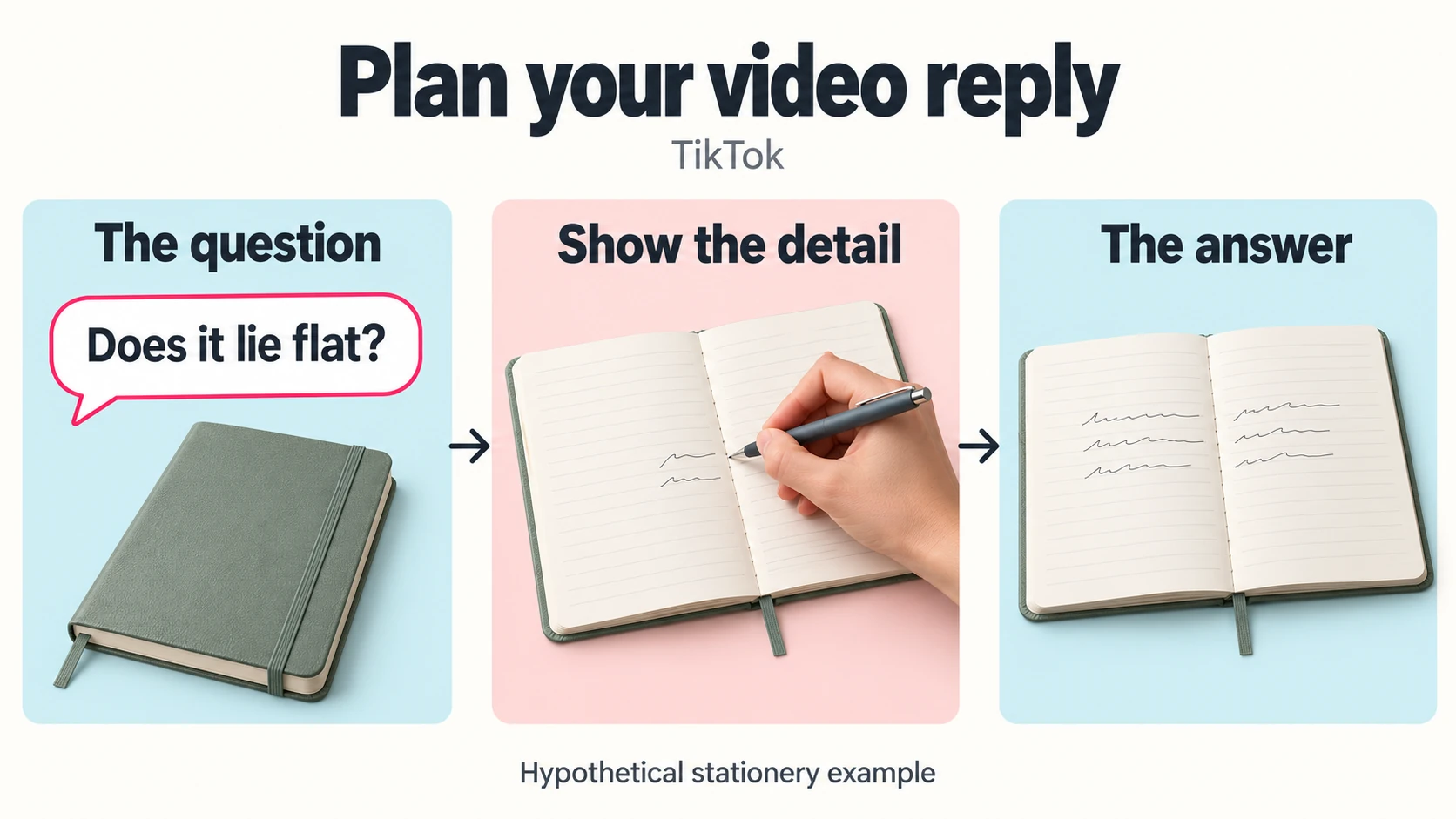
Imagine a stationery creator receives this comment under a planner video: “Will it lie flat while I write?”
Before filming, write down the question and the specific visual detail your camera must capture clearly. Put unrelated questions aside for a separate focused response. This helps you avoid a reply that starts with the planner’s binding and drifts into shipping, paper colors, and pricing before the viewer sees whether the pages stay open.
Start with the question
Show the closed planner briefly and identify the version being tested. Say, “Here is how this planner sits when I write near the center.” The opening establishes what the viewer is about to see, without replaying the entire original product introduction.
Show the detail that matters
Open the planner on a flat surface. Film from an angle that makes the center fold visible, then write across the page toward it. Keep your hand, the pen, and the fold in view. Avoid cutting away at the moment the viewer needs to judge how the pages behave.
If you have to hold a page down, show that. Describe what happens with this particular planner instead of making a claim about every notebook you sell. A clear limitation can answer a buying question more usefully than another polished product shot.
Finish with the answer
Show the finished page and explain what the demonstration established. Base the wording on what happened during filming. Then invite a specific follow-up if one would help, such as whether viewers want to see the same test near the back of the planner.
This sequence gives the reply a purpose: identify the question, show the relevant detail, and state the answer. You can apply it to a clothing fit check, a software walkthrough, or a repair demonstration.
Check the reply for someone arriving fresh
Watch the recording once without the original post open. Does it name the product or technique? Can you read the question? Is the important movement visible beneath the comment sticker? Remove any opening that depends on the viewer remembering yesterday’s video.
Listen for phrases such as “this one” or “like before.” Replace them with the specific item or action when the reference is unclear. If you add captions, review names and technical terms manually. Keep text away from the part of the picture viewers need to inspect. If the answer depends on sound, lower any background music so the demonstration remains clearly audible.
What to do if the camera option is missing
First confirm that you are opening a comment on a video posted by your active account. If comments themselves are unavailable, check the post’s Allow comments setting using TikTok’s comment settings guidance. That controls commenting; it does not establish why a video-reply camera is missing.
A missing camera alone does not identify an account penalty. Use TikTok’s Report a problem route for assistance. While you investigate, answer in text or publish a separate explanation that clearly states the question.
Keep the conversation useful
If additional comment activity is part of your promotion plan, you can buy real TikTok comments through Boost Social Media. The service covers a selected public video with comments enabled. You still choose which questions deserve a demonstration and create the replies yourself.
After publishing, read the responses for unresolved details. Answer a small clarification in text; reserve the next video for something worth showing. That keeps each follow-up useful to the person who asked and to viewers finding it later.