
How to Stitch on TikTok and Add a Useful Response
To Stitch on TikTok, open the video you want to respond to, tap Share, choose Stitch, select a passage, and record your addition. The finished video plays the selected source clip before your response. Stitch must be enabled for that source.
Choosing the passage deserves as much attention as recording. A good Stitch gives viewers enough context to understand someone else’s point, then adds an explanation, demonstration, or answer they could not get from the original alone.
Create your Stitch in the TikTok app
Find the original video and watch it through before choosing a section. A surprising sentence might be qualified a moment later.
- Tap the video’s Share button and choose Stitch.
- Select the section you want to include, then tap Next.
- Choose a maximum length and record your addition. Tap the checkmark to continue.
- Edit your recording, including any text or voice adjustments.
- Tap Next to review the description and privacy settings. Choose Post to publish, or Drafts to keep working.
See TikTok’s current Stitch instructions. Use the recording options available in your version of the app. Before posting, play the entire draft to check the transition between the source and your contribution.
Choose the clip that makes your answer understandable
Start with the question you want to answer, rather than the most dramatic moment in the video. The opening clip should explain why your response follows. If viewers need a long introduction from you just to understand it, reconsider the selection.
A hypothetical example: a creator asks how to photograph glossy product packaging without a reflection hiding the label. A small brand wants to respond with a demonstration using its own packaging.
The useful source passage is the question and the visible problem. A reaction shot or an unrelated joke might be entertaining, but it would leave the brand’s response disconnected. Keep any qualification that changes the question, such as wanting to work with equipment already at home.
Then decide what you can contribute. Repeating “lighting matters” gives viewers little to try. Showing the same package from two positions gives them something to compare. Only describe differences that your own recording actually shows.
Use Stitch when that sequence suits the explanation. Duet plays your contribution alongside the source, which may suit a simultaneous reaction or comparison. TikTok’s Duet guide explains that format. Choose based on what viewers need to see together.
Turn a reaction into a useful response
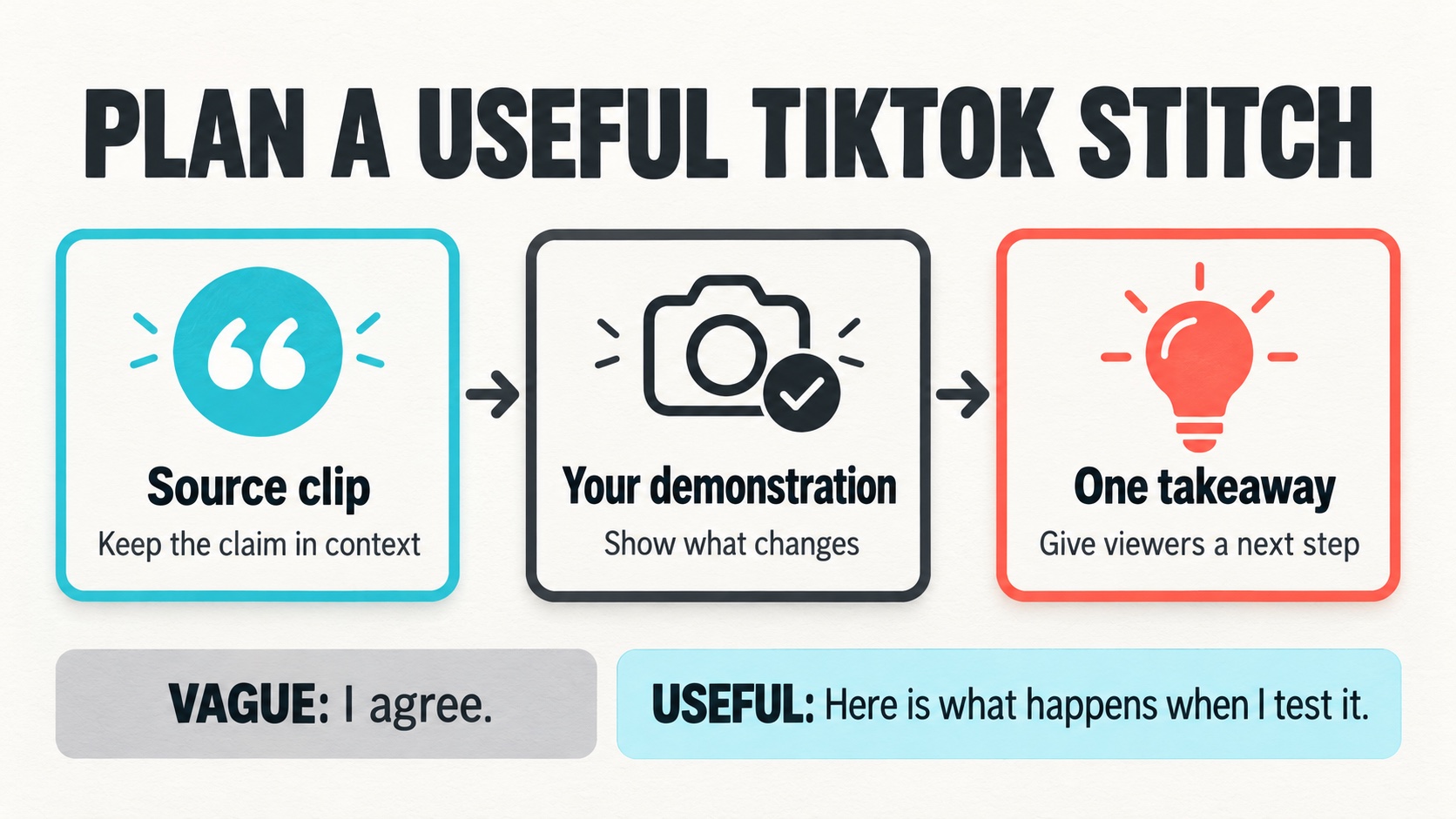
For the packaging example, plan three parts before recording: the borrowed question, your demonstration, and one practical takeaway. This is an editing plan, not a prescribed video length.
A weak response might say, “Yes, reflections are so annoying. Good lighting makes a huge difference.” It agrees with the source but leaves the viewer with the same problem.
A more useful opening could be: “Here is what changes when I move the package while keeping the camera in the same place.” Show the first position, make the adjustment, and show the second. Keep the framing close enough for viewers to inspect the label.
Explain what happened in this particular setup. If the change helped, point to the area that became easier to read. If it did not, show that honestly and try a different position. A failed attempt can still answer a useful question when viewers can see what you tested.
Finish with an instruction the viewer can apply: “Before shooting the batch, record a short test and check whether the label stays readable.” Avoid claiming that one arrangement works for every product or room.
Listen to the join between clips. A loud source followed by a quiet explanation makes the transition harder to follow. Check the written text too: it should identify the change being demonstrated, not cover the detail people need to inspect.
Before publishing, show the draft to someone who has not seen the original. Ask them to describe the problem and the change you made. If they can name only the product, your explanation may need a clearer opening. If they understand the test but cannot see the result, revise the framing. This checks whether the response stands on its own when viewers encounter it without knowing either creator or following the earlier discussion.
If the Stitch option is missing
The source creator controls whether their post can be Stitched. Your own settings cannot enable reuse of someone else’s restricted video. Check another relevant source with Stitch available instead of treating a download and reupload as the same feature.
User age also affects available permissions. TikTok’s teen privacy settings describe those differences. If the expected control is absent, check the relevant account settings and your app version before assuming every missing button has the same cause.
Control whether others can Stitch your videos
To review account permissions, open Profile, then Menu, Settings and privacy, Privacy, and Reuse of content. Under Allow reuse of content from, choose Everyone or Friends (people you follow who follow you back). Your account must be public to let others Stitch your videos.
For an existing video, open More options, then Privacy settings, and adjust Allow reuse of content. Before publishing a new post, find that toggle under More options on the Post screen.
This is a shared permission. TikTok’s Stitch privacy guide says turning it off also affects Duets, stickers, and adding the post to Stories. Review that wider effect before changing it.
Give the finished video a clear purpose
Publish the response that answers the question most clearly. If you later choose to buy TikTok likes, select your own finished public Stitch, not the source video. The service adds likes from real profiles to the selected video’s visible heart count. It does not guarantee organic reach, followers, or sales.
Keep that activity separate from your content review. Read the questions viewers leave: do they understand the adjustment, or are they asking for a missing detail? Use those questions to plan a follow-up demonstration. The response has done useful work when someone can explain what changed and try the idea themselves.