Select Page
Why Can’t I Like Posts on Instagram?

Why Can’t I Like Posts on Instagram?

Instagram, one of the most popular social media platforms, offers many ways to interact with content. Liking posts is a fundamental feature, allowing users to show their appreciation for photos, videos, and stories. 

However, what if you find that you can’t like posts on Instagram? This issue can be frustrating, especially if you rely on the app for personal or business engagement. Don’t worry there are several reasons why this may happen, and in this guide, we’ll walk you through the top 10 causes and fixes to get your Instagram engagement back on track.

The Instagram “Like” Problem

When Instagram’s “Like” button is not working, it can seem like a mysterious glitch. For users, the inability to like posts on Instagram means missing out on expressing appreciation, engaging with content, and staying active on the platform. Understanding why this occurs is key to fixing it quickly.

Common Symptoms: What “Not Liking” Looks Like

Here are a few signs that you’re dealing with Instagram like button issues:

  • The “Like” button is unresponsive, even when tapped.
  • Posts show no count of likes, or the count fails to update.
  • Instagram prevents you from interacting with some posts but not others.
  • The like button is grayed out or completely missing on certain posts.

Is This a “You” Problem or an “Instagram” Problem?

Before jumping to conclusions, it’s important to differentiate between problems that are specific to your account or device and issues that Instagram might be experiencing on a larger scale. We’ll help you troubleshoot both potential causes.

Top 10 Reasons & Fixes for Instagram Likes Not Working

Here are 10 common reasons why you can’t like posts on Instagram, along with fixes that will help restore your engagement.

1. App Glitches & Outdated Software (The Quick Fix)

Instagram frequently updates its app, and sometimes, bugs or glitches can prevent the like button from functioning properly. If you’re using an outdated version of Instagram, it may cause problems with core features like liking posts.

Fix:

  • Go to the app store (Google Play for Android or the App Store for iOS).
  • Check if there’s an update available for Instagram.
  • If so, install it and restart the app.

2. Poor Internet Connection (The Hidden Culprit)

Sometimes, the issue isn’t Instagram at all. A weak or unstable internet connection can disrupt actions like liking posts, commenting, or scrolling through your feed.

Fix:

  • Ensure you have a stable internet connection, whether through Wi-Fi or mobile data.
  • Try switching between Wi-Fi and mobile data to see if the problem persists.

3. Corrupted Cache Data (The Android/iPhone Cleanse)

Cache files help apps run faster, but they can sometimes become corrupted, leading to issues with Instagram’s functionality. This may cause the like button to stop working or behave erratically.

Fix:

  • For Android: Go to Settings > Apps > Instagram > Storage > Clear Cache.
  • For iPhone: You can’t directly clear cache, but uninstalling and reinstalling the app will achieve a similar result.

4. Temporary Action Block (Instagram’s “Timeout”)

Instagram sometimes imposes temporary action blocks if it detects unusual behavior, such as liking too many posts in a short period. If Instagram thinks you’re spamming, it may prevent you from liking posts temporarily.

Fix:

  • Wait for a few hours or up to 48 hours for the block to lift. Avoid excessive liking or commenting during this time to prevent further restrictions.

5. Account Restrictions or Shadowban

If Instagram detects behavior that violates its community guidelines, it may impose restrictions on your account. One of these restrictions could prevent you from liking posts. This is often related to spam-like activity or violating Instagram’s terms of service.

Fix:

  • Check if you’ve received any notifications from Instagram about violations.
  • Review Instagram’s Community Guidelines to ensure you’re not engaging in activities that could get you banned.
  • If you suspect a shadowban, it may be time to review your actions and take a break from the platform to avoid triggering further issues.

6. Server-Side Outage (Instagram is Down)

Instagram could be experiencing technical issues or outages, which can prevent certain features from working properly, including the like button. Sometimes, the issue isn’t on your end at all.

Fix:

  • Check Instagram’s server status on platforms like Downdetector or search Twitter for #InstagramDown.
  • If Instagram is down, wait for the platform to resolve the issue.

7. Buggy Instagram Update (The Rollback Option)

Instagram updates are usually meant to improve the user experience, but occasionally, updates introduce bugs that disrupt certain functions. If your issue started after an update, this could be the culprit.

Fix:

  • If the update has caused the problem, you can roll back to an older version of Instagram (Android only).
  • Alternatively, wait for Instagram to release a new update that fixes the bug.

8. Using a Third-Party App (A Violation of Terms)

Using third-party apps to automate likes or actions on Instagram may trigger the platform’s security system, leading to temporary or permanent bans. These apps violate Instagram’s terms of service and can cause engagement issues.

Fix:

  • Remove any third-party apps you’re using with Instagram.
  • Switch back to manual actions to avoid further violations.

9. Parental Controls / Restricted Account Mode

If you’re using a restricted account or if parental controls are in place, this can limit your ability to engage with content, including liking posts.

Fix:

  • Review your account’s settings and parental control restrictions.
  • If you’re under age restrictions, ask your parents to update the settings for you.

10. A Deeper Technical Bug (The Last Resort)

In rare cases, a deep-seated technical bug can prevent you from liking posts, even if all other troubleshooting options fail. This could be related to your device’s operating system, Instagram’s backend, or a network issue.

Fix:

  • Try reinstalling the Instagram app completely (remember to back up any important data like saved posts or direct messages).
  • If that doesn’t work, contact Instagram support for further assistance.

Step-by-Step Diagnostic Guide

If you’re still unsure about what’s causing the issue, follow this diagnostic guide to pinpoint the problem.

First, Check These Three Things

  1. Account Restrictions: Check if you’ve received any messages or notifications from Instagram regarding account restrictions.
  2. App Version: Ensure you have the latest version of the Instagram app installed.
  3. Internet Connection: Confirm that your device has a stable internet connection.

How to Test if Your Account is Restricted

  • Try liking posts from a different account (e.g., create a temporary second account or ask a friend).
  • If you can like posts from another account but not yours, this indicates that your account is likely restricted.

When to Contact Instagram Support

If all troubleshooting steps fail, or if you suspect a deeper issue, contact Instagram Support:

  • Go to your profile, tap the three horizontal lines (menu) > Settings > Help > Report a Problem.
  • Describe the issue, and they’ll guide you through further steps.

How to Prevent This Issue in the Future

To ensure that the Instagram like button works smoothly in the future, consider following these best practices:

Best Practices for Account Health

  • Avoid spamming likes, comments, or follows to prevent temporary action blocks.
  • Regularly update the Instagram app to avoid bugs and performance issues.
  • Keep an eye on Instagram’s guidelines to avoid accidental violations.

Recognizing Early Warning Signs

If Instagram shows signs of restricting your activity (like warning notifications or slow app performance), address the issue before it escalates.

Final Words

The inability to like posts on Instagram can stem from a variety of issues, from minor app glitches to more severe account restrictions. By following the 10 fixes listed above, you should be able to get your engagement back on track in no time. Remember to be patient, stay informed, and follow best practices for maintaining a healthy Instagram account.
When Did Instagram Reels Come Out?

When Did Instagram Reels Come Out?

Instagram has been a leading platform for photo-sharing, but the demand for video content led to the creation of Instagram Reels. In this comprehensive guide, we’ll take you through the exact launch date of Instagram Reels, the reasons behind its creation, and how it has evolved over time. 

We’ll also compare it with TikTok, its major competitor, and share tips on how to use Instagram Reels effectively.

The Official Instagram Reels Launch Date

The Exact Date and Initial Announcement

Instagram Reels was officially launched on August 5, 2020, marking Instagram’s foray into the short-form video content space. Instagram’s parent company, Meta (formerly Facebook), introduced Reels as a feature that would allow users to create engaging short videos with music, effects, and advanced editing tools.

This launch was seen as Instagram’s response to TikTok, which had become a major player in the social media landscape by that time. Reels offered users a similar video-sharing experience but kept everything within Instagram’s existing ecosystem.

Which Countries Got Reels First?

Instagram Reels was initially tested in Brazil in late 2019 before the official launch in August 2020. After the initial test phase, Instagram gradually rolled out Reels to other countries.

The United States, India, and various European countries were among the first to receive the feature. This gradual rollout allowed Instagram to refine the feature and gather feedback before making it globally available.

The Global Rollout Timeline

Instagram’s rollout of Reels continued throughout 2020, with the feature reaching over 50 countries by the end of the year. By early 2021, Reels was available globally, giving Instagram users everywhere the opportunity to create and share short-form video content.

Instagram’s global reach helped accelerate the adoption of Reels, quickly making it one of the most popular features on the platform.

Why Instagram Created Reels: The Context Behind the Launch

The Rising Dominance of Short-Form Video

The decision to introduce Reels was largely driven by the increasing popularity of short-form video content, especially through platforms like TikTok.

Videos that are under a minute long, often set to music and featuring various effects, were quickly becoming the most engaging type of content online. Instagram recognized this shift in user behavior and saw an opportunity to integrate short-form video into its platform.

Competitive Pressure from TikTok

TikTok’s rapid growth put pressure on Instagram to respond. TikTok had captured the attention of younger audiences with its easy-to-use video creation tools and viral content. Instagram, which had traditionally been a photo-sharing app, needed a feature to compete with TikTok’s success.

Reels was Instagram’s answer to this competition, offering a similar short-form video experience but within the Instagram app, which users were already familiar with.

Replacing Instagram’s “Likes” Counter and the Pivot to Video

The launch of Reels also coincided with Instagram’s shift away from purely static images and its increased focus on video content. Reels became an essential part of Instagram’s pivot toward video and away from the traditional “likes” counter.

As Instagram increasingly emphasized engagement with videos, Reels offered a dynamic, viral-friendly feature that could captivate users and boost interaction.

Instagram Reels vs. TikTok: A Feature Comparison at Launch

Core Similarities: Why Reels Felt Familiar

When Instagram Reels was first launched, it was immediately clear that the feature was inspired by TikTok. Both platforms allowed users to create short videos that could be set to music, decorated with special effects, and shared with a wider audience.

The video length was initially capped at 15 seconds (later extended to 60 seconds), mimicking TikTok’s fast-paced, bite-sized video style.

Key Differences: What Set Reels Apart Initially

Despite the similarities, there were notable differences that set Instagram Reels apart. First, Reels was embedded within Instagram, meaning that users didn’t have to switch between apps. This integration allowed Instagram to leverage its existing user base, giving Reels an advantage over TikTok, which was a standalone platform.

Additionally, Reels allowed users to share their short videos directly to their Instagram feed, making it possible for videos to appear in both the Reels section and the main Instagram feed. This increased the discoverability of Reels, giving creators an opportunity for greater exposure.

The Integration Advantage: Reels Within the Instagram Ecosystem

One of Instagram’s major advantages was its existing ecosystem. Instagram users were already engaged with photos, Stories, and Direct Messages, making it easy for them to adopt Reels without the need to download or learn a new app.

Reels integrated smoothly into this ecosystem, allowing users to create, share, and discover short-form video content without ever leaving the app.

The Evolution of Instagram Reels Since Launch

Major Feature Updates (2021-2023 Timeline)

Since its launch, Instagram Reels has undergone numerous updates to enhance its functionality and improve user experience. Some of the key updates include:

  • 2021: Instagram extended the maximum length of Reels from 15 seconds to 60 seconds, giving creators more room to express themselves. The feature also saw the introduction of new editing tools and a larger music library, giving users more creative control over their videos.
  • 2022: Reels received several enhancements, including the ability to remix videos (a feature similar to TikTok’s Duet). Instagram also made Reels more prominent in the platform’s algorithm, showing Reels to more users in the Explore tab and main feed.
  • 2023: Instagram further refined its Reels feature by optimizing the algorithm to focus on more personalized recommendations. Additionally, Instagram introduced Reels Bonuses, allowing content creators to earn money based on the performance of their Reels.

Algorithm Changes and How They Impact Reach

Instagram’s algorithm for Reels has evolved to prioritize content that generates high engagement. In the beginning, all Reels had similar visibility, but as the platform grew, Instagram began to incorporate more factors into its ranking system, such as likes, shares, comments, and watch time.

This shift made it more important than ever for creators to produce high-quality content that resonated with viewers.

The Introduction of Reels Bonuses and Monetization

To encourage creators to invest in the platform, Instagram introduced Reels Bonuses in 2023. These bonuses provided financial incentives for creators based on how their Reels performed. As a result, Reels became a viable option for monetization, creating an opportunity for content creators to earn money directly through the platform.

How to Use Instagram Reels Effectively

Best Practices for Creating Engaging Reels

If you want to succeed with Instagram Reels, here are some best practices to follow:

Keep it Short and Sweet:

Aim for Reels that are between 15-30 seconds long. The shorter the video, the more likely it is that people will watch until the end.

Jump on Trends:

Use trending music and effects to increase the chances of your Reels going viral.

Engage with Your Audience:

Encourage likes, comments, and shares by asking questions or using calls-to-action in your videos.

The Current Reels Algorithm

The Reels algorithm rewards content that generates high engagement and keeps viewers on the platform for longer periods. Here’s how you can optimize your Reels for the best reach:

  • Post consistently and regularly.
  • Use relevant hashtags and keywords in your captions.
  • Engage with followers by responding to comments and messages.

Common Mistakes to Avoid for Better Performance

To improve your Reels’ performance, avoid these common mistakes:

  • Ignoring Trends: Not using trending music or effects can limit the visibility of your Reels.
  • Posting Too Frequently: Overposting can overwhelm your audience and lead to lower engagement.
  • Not Interacting with Your Audience: Failing to reply to comments and messages can hurt your engagement and reduce your reach.

The Future of Instagram Reels

Predicted Trends and Upcoming Features

Instagram Reels is expected to continue evolving with new features such as AI-powered content creation tools, more integrations with other platforms, and enhanced personalization for users. As short-form video continues to dominate, Reels will remain a key part of Instagram’s strategy for engaging its audience.

Reels’ Role in Instagram’s Long-Term Strategy

Instagram sees Reels as a crucial part of its long-term strategy, especially as video content continues to grow in popularity. Reels will likely become even more integrated with Instagram’s broader features, including shopping, Stories, and Ads, further solidifying its place within the Instagram ecosystem.

How to Turn Off Recommended Posts on Instagram?

How to Turn Off Recommended Posts on Instagram?

Instagram has become one of the most popular social media platforms, but for many users, its constant stream of recommended posts and suggested reels can become frustrating. These posts appear in your feed even when you haven’t followed the accounts that shared them. 

If you’re tired of seeing random content that doesn’t align with your interests, this guide will walk you through how to turn off Instagram’s recommended posts, reduce unwanted content, and take back control of your feed.

Instagram’s “Recommended Posts”

Before diving into how to turn off or manage recommended posts, let’s first understand what they are and why they show up in your feed.

What Are “Recommended Posts” and “Suggested Reels”?

Instagram’s “Recommended Posts” are pieces of content that Instagram’s algorithm suggests based on your activity, such as your likes, comments, and even the time spent viewing certain types of posts. Similarly, “Suggested Reels” are short videos that Instagram thinks you might like, based on your interaction with other content.

These recommendations are part of Instagram’s efforts to expose users to a broader range of content they might enjoy, even if they don’t follow the creator. While this can be a great way to discover new accounts, it can also lead to unwanted posts clogging up your feed.

Why Instagram Shows You Random Content

The key to understanding why these random posts appear is the Instagram algorithm. Instagram’s algorithm constantly analyzes your behavior, including the accounts you interact with, the posts you like, and how long you spend on different content. Based on this data, Instagram then displays posts from accounts you don’t follow but are deemed similar to your interests.

However, if this system gets it wrong or if you have a strong preference for a more curated experience, these recommended posts can be frustrating.

The Difference Between “Following” and “Favorites” Feeds

Instagram offers a “Following” feed, which displays posts only from accounts you follow. It’s a more traditional approach, where you see content from your followers only. On the other hand, Instagram also has a “Favorites” feature that lets you prioritize certain accounts in your feed, ensuring you see more of their posts without the interference of random recommendations.

Step-by-Step: How to Disable Recommended Posts in Your Feed

Now that we understand why these posts appear, let’s look at how to disable them.

Method 1: The “Not Interested” Short-Term Tactic

One quick way to eliminate unwanted posts from your feed is to use Instagram’s “Not Interested” feature. This method allows you to mark specific posts or accounts as irrelevant to you. While this is not a permanent solution, it can help you temporarily remove specific types of posts.

Steps to use the “Not Interested” feature:

  1. Find a post you don’t like.
  2. Tap the three dots on the top-right corner of the post.
  3. Select “Not Interested.”
  4. Instagram will then show you fewer posts from that account or similar content.

Method 2: Muting “Suggested Posts” in Feed Preferences

For a more permanent solution, you can manage your Instagram feed preferences directly through the app’s settings. Although you can’t completely turn off recommended posts, muting specific types of suggested posts can drastically reduce unwanted content.

Steps to mute suggested posts:

  1. Go to your Instagram profile.
  2. Tap the three lines in the top-right corner to open your settings.
  3. Select “Settings” > “Account” > “Recommendations.”
  4. You’ll see a list of content types that Instagram can suggest. Toggle off categories you don’t want to see in your feed.

Method 3: Switching to a “Following-Only” Feed View

If you’re looking for a feed that is entirely based on the accounts you follow, Instagram has made it easier to switch to a “Following-only” feed. This option eliminates all recommended posts from users you don’t follow.

Steps to enable the “Following” feed:

  1. Open Instagram and go to your home feed.
  2. Swipe down slightly to reveal the “Following” option.
  3. Tap on it to view a feed with only posts from accounts you follow.

Switching to the “Following” feed gives you a more straightforward experience without any random posts from Instagram’s algorithm.

How to Reduce “Suggested Reels” and Explore Page Content

Instagram’s algorithm also recommends content via “Reels” and the “Explore” page. If you want to reduce or eliminate these recommendations, there are a few steps you can take.

Managing Your Reels “Recommendations” Settings

To reduce the number of suggested reels, you can adjust your recommendations based on your activity and preferences.

Steps to adjust Reels recommendations:

  1. Open the “Reels” section of Instagram.
  2. Find a reel you don’t like.
  3. Tap the three dots on the reel.
  4. Select “Not Interested.”
  5. Instagram will adjust future Reels recommendations based on your choice.

Training the Explore Page with “Not Interested”

Instagram’s Explore page is designed to help you discover content from new creators and accounts. If you prefer a more curated experience, you can tell Instagram which content to show or avoid by tapping “Not Interested” on posts.

Steps to adjust your Explore page:

  1. Open the “Explore” page.
  2. Find a post that you’re not interested in.
  3. Tap the three dots on the post.
  4. Select “Not Interested.”
  5. Over time, Instagram will show you fewer posts similar to those you mark as unappealing.

Adjusting “Suggested Content” in Your Account Settings

You can also tweak your Instagram account settings to have more control over the content recommendations you receive.

Steps to adjust content recommendations:

  1. Open Instagram and go to your profile.
  2. Tap the three lines in the top-right corner.
  3. Select “Settings” > “Account” > “Recommendations.”
  4. Turn off content categories that don’t interest you.

Why You Might Not See the “Show Less Often” Option

Sometimes, you may not see the option to “Show Less Often” for recommended posts. Here are some reasons this might happen and how to address it.

App Version & Account Type Limitations

Certain features, including the ability to mute suggested posts, may not be available for all app versions or account types. Ensure your Instagram app is updated to the latest version to access the most recent settings.

Regional Rollouts and Feature Availability

Instagram often rolls out new features gradually, so it’s possible that some users in specific regions won’t have access to the “Show Less Often” feature just yet. Keep an eye out for app updates that may bring this feature to your account.

What to Do If the Toggle is Missing

If you’re still not seeing the “Show Less Often” toggle or other relevant settings, consider reaching out to Instagram’s support team for assistance. It could be an issue specific to your account or app version.

Pro Tips for Curating Your Perfect Instagram Feed

If you want to take further control of your Instagram experience, here are some advanced strategies to curate your feed.

Curating Your “Favorites” List for a Pure Feed

Instagram allows you to create a “Favorites” list, which ensures you see more content from your favorite accounts while limiting exposure to random posts. You can add up to 50 accounts to your Favorites list.

Steps to add accounts to your Favorites list:

  1. Go to the profile of the account you want to add.
  2. Tap the “Following” button.
  3. Select “Add to Favorites.”

The Power of Consistently Using “Not Interested”

The more consistently you use the “Not Interested” option, the better Instagram becomes at personalizing your feed. Over time, the algorithm will learn your preferences and show you more of the content you enjoy.

Limiting Ad Topics and Data Used for Recommendations

Instagram also bases many of its recommendations on the data it collects from you, including your activity on the platform and even off-platform activities (through Facebook’s ad network). You can limit the types of ads and data Instagram uses for recommendations through the app’s privacy settings.

Frequently Asked Questions

Can I permanently turn off all recommended posts on Instagram?

No, you cannot completely turn off all recommended posts. However, you can reduce them significantly by using the methods outlined in this guide.

Why do I still see random reels after turning off recommended posts?

Even after reducing suggested posts, Instagram’s algorithm may continue recommending Reels based on your interaction with other content. Using the “Not Interested” option for Reels will help reduce these recommendations.

Is there a way to get a chronological feed on Instagram again?

Instagram removed the chronological feed in favor of an algorithm-based feed. However, by switching to the “Following” feed view, you can experience a feed more aligned with the accounts you follow.

Does selecting “Not Interested” actually help reduce random posts?

Yes, selecting “Not Interested” helps Instagram adjust its recommendations and reduces similar posts in the future.

Will muting suggested posts affect my following feed or messages?

No, muting suggested posts only affects the content shown in your feed. It won’t impact messages or the posts from the accounts you follow.

Why don’t I have the “Show less often” option for suggested posts?

This option might not be available for all users due to app version limitations, regional rollouts, or account-specific settings. Make sure your app is updated, and check for feature availability.

Can I turn off recommended posts on Instagram Web/Desktop?

Unfortunately, the option to turn off recommended posts is currently only available on the mobile app.

How to See Who Doesn’t Follow You Back on Instagram

How to See Who Doesn’t Follow You Back on Instagram

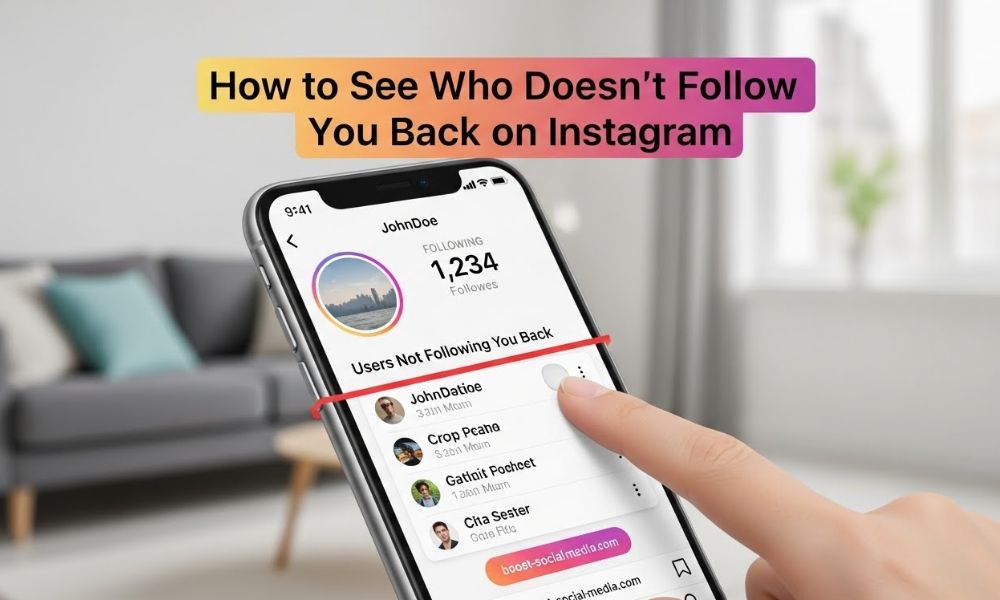
Instagram has become one of the most widely used platforms for personal and professional connections. Many users are concerned with the follower-to-following ratio on their profiles. If you’re trying to figure out how to see who doesn’t follow you back on Instagram, you’re not alone. 

Many people want to clean up their list of followers by identifying who isn’t returning the follow. In this guide, you’ll find various ways to track unfollowers, from manual checks to third-party apps and Instagram’s professional tools.

Why Check Your Instagram Follow-Back Ratio?

Tracking the follow-back ratio is an essential part of managing your Instagram account. A balanced ratio can show genuine interaction and engagement with others. Identifying who doesn’t follow you back helps you make better decisions about whom to follow and maintain a healthy social media presence.

The Psychology of Instagram Follow Relationships

On Instagram, following and being followed is more than just an activity it’s often about social validation. Users follow others to create a sense of connection or to gain attention in return. While some people follow back as a sign of respect or mutual interest, others may not return the follow for various reasons. Non-reciprocal followers can be frustrating, but they are a common part of Instagram’s ecosystem.

Benefits of Auditing Your Follower List

Auditing your follower list brings several advantages:

  • Improved engagement: You can engage more meaningfully with followers who are genuinely interested in your content.
  • Better follower-to-following ratio: Removing inactive or non-reciprocal followers leads to a cleaner, more authentic account.
  • Relevant connections: An audit helps ensure that your followers are people who genuinely engage with your content, improving overall interaction quality.

When Should You Clean Up Your Following?

Regularly reviewing your followers is essential to maintain an active and engaged profile. While there’s no set time to clean up your following list, doing so every few months or after noticing a decline in engagement is a good practice. It’s an easy way to make sure that your follower list stays active and engaged.

Method 1: Manual Instagram Follower Check

If your account isn’t too large, manually checking who doesn’t follow you back might be a simple and effective solution. Instagram does not provide a built-in feature to see who doesn’t follow you back, but a manual process can still help.

Step-by-Step: Manually Comparing Followers vs. Following

To manually check who doesn’t follow you back:

  1. Open your Instagram profile and go to the “Following” list.
  2. Write down the accounts you are following.
  3. Visit the profiles of those accounts to see if they follow you back. You can tell if someone is following you by checking if the “Follow Back” button appears on their profile.
  4. Repeat this process for each account you want to verify.

This method works well for smaller accounts, but it becomes less feasible for larger ones.

Limitations of Manual Instagram Audits

Manual audits come with some drawbacks:

  • Time-consuming: If you follow a lot of people, this process can take hours.
  • Error-prone: There’s a risk of missing people or incorrectly identifying unfollowers.
  • No bulk analysis: You can’t check multiple users at once, which makes the process inefficient for larger accounts.

Tips for More Efficient Manual Checking

To speed up the manual checking process:

  • Use a spreadsheet: Organize your followers and following lists in a spreadsheet to make comparisons easier.
  • Focus on active users: Prioritize those who engage with your content regularly, as they are more valuable followers.

Method 2: Using Third-Party Follower Tracking Apps

If you have a larger following or want to automate the process, third-party apps can simplify tracking non-reciprocal followers. These apps provide insights into your followers and can track who isn’t following you back.

Top Instagram Follower Analytics Apps in 2024

Some popular apps to track unfollowers include:

  • Reports+ for Instagram: This app helps identify who doesn’t follow you back and provides other insights on your Instagram account.
  • Followers & Unfollowers: A straightforward app for tracking unfollowers and removing them quickly.
  • Unfollowers for Instagram: This app tracks unfollowers and offers a simple user interface to make the process smoother.

How Follower Tracking Apps Work (And Their Limitations)

Follower tracking apps sync with your Instagram account to analyze your followers. They can:

  • Identify users who don’t follow you back
  • Provide insights into engagement and follower trends
  • Track unfollowing behavior over time

However, these apps have some limitations:

  • Privacy concerns: Some apps may ask for your Instagram login credentials, which could compromise your account security.
  • Instagram restrictions: Using third-party apps may violate Instagram’s terms of service, potentially leading to account restrictions.

Safety Considerations When Using Third-Party Apps

When using third-party apps, always:

  • Check reviews and ratings to ensure the app is trustworthy.
  • Avoid apps asking for your Instagram password. Stick to apps that only need your username.
  • Be cautious with app permissions and avoid apps requesting unnecessary access to your personal data.
  • Follow Instagram’s terms of service to prevent account restrictions.

Method 3: Instagram’s Professional Dashboard (For Business/Creator Accounts)

For users with Business or Creator accounts, Instagram offers a professional dashboard that provides insights into your account’s performance. Although it doesn’t directly show who isn’t following you back, it offers useful information to analyze your followers.

Setting Up a Professional Instagram Account

To set up a Business or Creator account:

  1. Go to your Instagram profile and tap the three lines in the top-right corner.
  2. Select Settings, then Account, and tap Switch to Professional Account.
  3. Choose between a Business or Creator profile and follow the on-screen instructions.

What Instagram Analytics Tell You About Followers

Once your account is set up professionally, Instagram provides valuable analytics about your followers, including:

  • Follower growth: Track increases and decreases in your follower count.
  • Audience demographics: Gain insights into your followers’ age, location, and interests.
  • Engagement rates: See how your posts are performing and what content generates the most interaction.

Limitations of Native Instagram Analytics

Instagram’s analytics tools provide useful data but don’t show specific unfollowers. They help track overall follower trends, but for a detailed breakdown of who isn’t following back, you will still need third-party apps.

Important Instagram Policies You Need to Know

Instagram’s policies play a significant role when using third-party apps to track unfollowers.

Instagram’s Official Stance on Third-Party Apps

Instagram’s terms of service prohibit using third-party apps that access your account in unauthorized ways. Apps that automate activities like following and unfollowing violate Instagram’s policies and may lead to restrictions or even account bans.

How to Avoid Getting Shadowbanned or Restricted

To prevent account restrictions or shadowbans:

  • Don’t use suspicious apps that ask for unnecessary access to your Instagram account.
  • Follow Instagram’s guidelines for automation and follower management.
  • Avoid spammy behaviors, such as excessively following or unfollowing large numbers of people.

Privacy Considerations When Checking Followers

Always keep privacy in mind when using third-party apps. Never share sensitive account information and use apps that respect your data privacy.

What to Do With Your “Doesn’t Follow Back” List

Once you’ve identified who doesn’t follow you back, it’s time to decide what to do with the list.

Ethical Unfollowing Strategies

When unfollowing people who don’t follow back, it’s essential to do so ethically:

  • Don’t take it personally—some people may have stopped following for various reasons.
  • Curate a meaningful list of followers who engage with your content and add value to your account.

Should You Confront People Who Don’t Follow Back?

While confronting people about not following back may be tempting, it often leads to unnecessary conflict. Instead, focus on managing your Instagram experience and maintaining a positive, healthy environment.

Alternative Approaches to Follower Management

Rather than focusing solely on follow-back ratios, try:

  • Fostering authentic engagement by responding to comments and interacting with your followers.
  • Creating quality content that attracts and retains valuable followers.

Maintaining a Healthy Instagram Ecosystem

Managing your Instagram account should go beyond worrying about follower counts. It’s about fostering authentic engagement and building a loyal community.

Quality Over Quantity: Rethinking Your Follower Goals

Rather than obsessing over follower numbers, focus on creating valuable content that resonates with your audience. High-quality followers will engage meaningfully with your posts, leading to better long-term results.

Building Authentic Engagement Instead of Tracking Follow-Backs

Instead of focusing on follow-backs, aim for authentic engagement. Respond to comments, share stories, and interact with your followers. Authentic relationships will drive real growth on your account.

Long-Term Instagram Account Health Strategies

To maintain a healthy Instagram account:

  • Regularly audit your followers and remove inactive accounts.
  • Engage meaningfully with your audience by liking and commenting on posts.
  • Prioritize content that sparks genuine conversations rather than focusing solely on numbers.

FAQ

Is there a built-in feature on Instagram to see who doesn’t follow you back?

No, Instagram doesn’t have a native feature that directly shows users who don’t follow you back due to privacy and platform health considerations.

Are Instagram follower tracker apps safe to use?

Some are safer than others. Always check reviews, avoid apps requesting your password, and be aware that using them violates Instagram’s terms, potentially risking account restrictions.

Can I get banned for using follower tracking apps?

While outright bans are rare, Instagram may temporarily restrict features or shadowban accounts that use third-party apps violating their terms of service.

How often should I check who doesn’t follow me back?

Monthly or quarterly checks are sufficient. Obsessive checking can negatively impact your Instagram experience and lead to unhealthy social media habits.

What’s the quickest way to see unfollowers on Instagram?

The manual method works for small accounts, while third-party apps like Reports+ or Followers & Unfollowers Track provide faster analysis for larger followings.

Do business accounts have better follower insights?

Yes, Instagram Professional accounts (Business or Creator) provide analytics on follower growth, demographics, and engagement, but still don’t show specific non-followers.

Why do people unfollow after I follow them back?

This is often “follow-unfollow” spam tactics used by accounts trying to artificially grow. Some users also regularly purge followers to maintain ratios.

How to See Views on Your Instagram Posts?

How to See Views on Your Instagram Posts?

Knowing how to see views on your Instagram posts is essential for anyone using the platform to engage an audience. Whether you’re a business owner, content creator, or simply curious about how your content is performing, understanding your view count can provide valuable insights.

In this guide, we’ll walk you through the steps for checking views on your Instagram videos, photos, and Reels, explain the differences between views, impressions, and reach, and offer troubleshooting tips for when things don’t seem right.

Instagram Views: What Counts as a View?

Before we dive into how to check views on your posts, it’s important to understand what counts as a “view” on Instagram. Views are counted differently for videos and photos, and knowing this distinction will help you track engagement accurately.

Video Views vs. Photo Views: Key Differences

Instagram treats videos and photos differently when it comes to tracking views:

  • Video Posts: A “view” on a video is counted after someone watches the video for at least three seconds. If someone skips the video before the three-second mark, their view doesn’t count.

  • Photo Posts: For photos, Instagram doesn’t track “views” the way it does for videos. Instead, photos are measured by impressions and reach. Impressions refer to how many times your photo was shown to users, while reach tells you how many unique accounts saw the photo. These are helpful for tracking visibility, but they don’t indicate how many people specifically viewed the content.

Instagram’s Official View Definition (3-Second Rule)

When you upload a video, Instagram counts a view after someone watches the video for at least 3 seconds. This rule applies across all video posts, including those in your feed, Reels, Stories, and IGTV. It’s a straightforward metric that helps Instagram track genuine engagement with video content.

Views vs. Impressions vs. Reach: Why It Matters

Understanding the difference between these metrics is key to measuring your content’s success:

  • Views: Applies only to videos. A view happens when someone watches at least 3 seconds of the video.

  • Impressions: This counts how many times your content has been displayed to others, regardless of whether they interact with it.

  • Reach: This represents how many unique users saw your post.

While views focus on how many people actually watch your video, impressions and reach give you a broader understanding of how far your content has spread.

Step-by-Step: How to Check Views on Instagram Video Posts

If you’re looking to check the view count on your Instagram videos, there are a few ways to do it, depending on the type of content you posted. Here’s how to check views for different Instagram video formats.

Method 1: Viewing Video Views on Your Feed Posts

Checking views on videos posted in your Instagram feed is simple:

  1. Open Instagram and go to your profile.
  2. Scroll through your feed to find the video you want to check.
  3. Below the video, you’ll see the number of views. This is the total number of people who watched the video for at least 3 seconds.

Method 2: Checking Views on Instagram Reels

Instagram Reels are short-form videos, and they are one of the best ways to reach a wider audience. Here’s how to see the views on your Reels:

  1. Go to your profile and tap the Reels tab, which looks like a small clapperboard.
  2. Select the Reel you want to check.
  3. Under the video, you will see the view count displayed.

Reels are a highly discoverable feature, and checking their view count can help you understand how well they’re performing with a broader audience.

Method 3: Finding Views on Instagram Stories (24-Hour Content)

Instagram Stories are temporary and disappear after 24 hours. However, if you have a Business or Creator account, you can still track how many views your Story received:

  1. Go to your profile and tap on your Story icon to view your content.
  2. Swipe up on the screen to see the detailed analytics for your Story, including the number of views.

Instagram also allows you to see which specific users have viewed your Story if you have a professional account.

Method 4: Using Instagram TV (IGTV) View Counts

Instagram TV (IGTV) is used for longer-form videos. If you post content on IGTV, here’s how to check the views:

  1. Go to your profile and tap the IGTV tab.
  2. Select the video you want to view the analytics for.
  3. Below the video, the view count will be displayed.

IGTV also allows you to see more detailed insights about how your video is performing with your audience.

Can You See Views on Instagram Photo Posts?

Instagram doesn’t track views for photo posts, so how do you measure the performance of your photo content? Instead of views, Instagram shows impressions for photos.

The Truth About Photo “Views” (It’s Actually Impressions)

Unlike videos, photos are measured by impressions rather than views. Impressions tell you how many times your photo was displayed to users, regardless of whether they interacted with it or not. This is a good metric to understand how visible your photo is, but it’s different from video views, which track how many people actually watched your content.

How to See Engagement on Photo Posts Instead

Even though Instagram doesn’t show views for photos, you can track other engagement metrics, such as:

  • Likes
  • Comments
  • Shares

These metrics give you a better sense of how your audience is interacting with your photo content.

Why Instagram Doesn’t Show Photo Views

Instagram treats photos and videos differently. Since a photo doesn’t have a defined duration like a video, Instagram tracks impressions for photos instead of views. This makes sense because the engagement with a photo is measured by how often it’s seen rather than how long it’s watched.

Essential Requirements to See Instagram View Counts

To access detailed view counts on your Instagram content, you need to meet some requirements.

Must-Have: A Business or Creator Account

If you want to see detailed view counts, you must have a Business or Creator account. These account types give you access to Instagram Insights, which includes metrics like view counts, reach, impressions, and more.

How to Switch to a Professional Account (Free & Easy)

Switching to a Business or Creator account is quick and free:

  1. Open Instagram and go to your profile.
  2. Tap the three lines in the top-right corner and select Settings.
  3. Go to Account, then tap Switch to Professional Account.
  4. Choose either Creator or Business, depending on your needs.
  5. Follow the prompts to complete the setup.

Once you’ve switched, you’ll be able to access all the view data you need.

Why Personal Accounts Can’t See View Metrics

Personal accounts on Instagram do not have access to Instagram Insights, which means they can’t view detailed metrics like view counts. To see your views and other analytics, you need to switch to a professional account.

Using Instagram Insights for Advanced View Data

Instagram Insights is a powerful tool for tracking your content’s performance. It provides more than just basic view counts and can help you understand your audience and improve your content strategy.

Where to Find the Full Insights Dashboard

  1. Go to your profile and tap the three lines in the top-right corner.
  2. Select Insights to open the dashboard.
  3. In Insights, you’ll see metrics for your feed posts, Reels, Stories, and IGTV, including view counts and more.

Audience Through View Analytics

Instagram Insights doesn’t just show you the number of views it also gives you detailed information about your audience:

  • Age and gender demographics
  • Top locations
  • Times when your followers are most active

This information can help you optimize your content for maximum engagement.

Tracking View Trends Over Time

Insights allow you to track how your views evolve over time. This feature is essential for monitoring trends and figuring out what types of content resonate most with your audience.

Troubleshooting: Why Can’t I See My Instagram Views?

If you can’t see views on your Instagram posts, here are some common reasons and how to fix them.

Common Problem #1: Still on a Personal Account

If you’re still using a personal account, you won’t have access to view metrics. To resolve this, follow the steps above to switch to a Business or Creator account.

Common Problem #2: Low View Count (Under Threshold)

If your video has very few views, Instagram may not display the view count. This often happens with newly posted content or posts that don’t get much initial engagement. Be patient, as the views may increase over time.

Common Problem #3: App Not Updated

Sometimes, the issue is with the app itself. Make sure you have the latest version of Instagram installed. An outdated app may not display the correct metrics.

Fix: Step-by-Step Troubleshooting Guide

  1. Switch to a Business or Creator account.
  2. Give your post time to gain traction if the view count is low.
  3. Update your Instagram app.
  4. Check Instagram Insights for detailed view analytics.

Pro Tips to Increase Your Instagram Views

To boost your Instagram views, try these strategies:

Optimize Posting Times Based on Your Audience

Post when your audience is most active. Use Instagram Insights to see when your followers are online and schedule your posts accordingly.

Use Relevant Hashtags to Boost Discoverability

Hashtags are one of the easiest ways to increase the visibility of your content. Use a combination of popular and niche hashtags to reach a wider audience.

Engage With Your Audience to Signal the Algorithm

Instagram’s algorithm rewards engagement. Respond to comments, like posts, and engage with your audience to increase your content’s visibility.

Frequently Asked Questions

Can you see who viewed your Instagram post?

No, Instagram doesn’t show you who viewed your posts. You can only see the total view count for video content.

Why can’t I see views on my Instagram video?

This is usually because you have a personal account. Switch to a Business or Creator account to see view metrics.

How many views count on Instagram?

Instagram counts a view after someone watches your video for at least 3 seconds.

Do Instagram photo posts have views?

No, photos show impressions, not views.

What’s the difference between Instagram views and impressions?

Views count how many times your video has been watched, while impressions count how many times your content has been shown.

Can you see Instagram Story views after 24 hours?

Yes, if you have a Business or Creator account, you can check Story views through Instagram Insights.

How do I switch to a Creator account to see views?

Go to Settings → Account → Switch to Professional Account → Choose Creator.

How to Repost an Instagram Reel?

How to Repost an Instagram Reel?

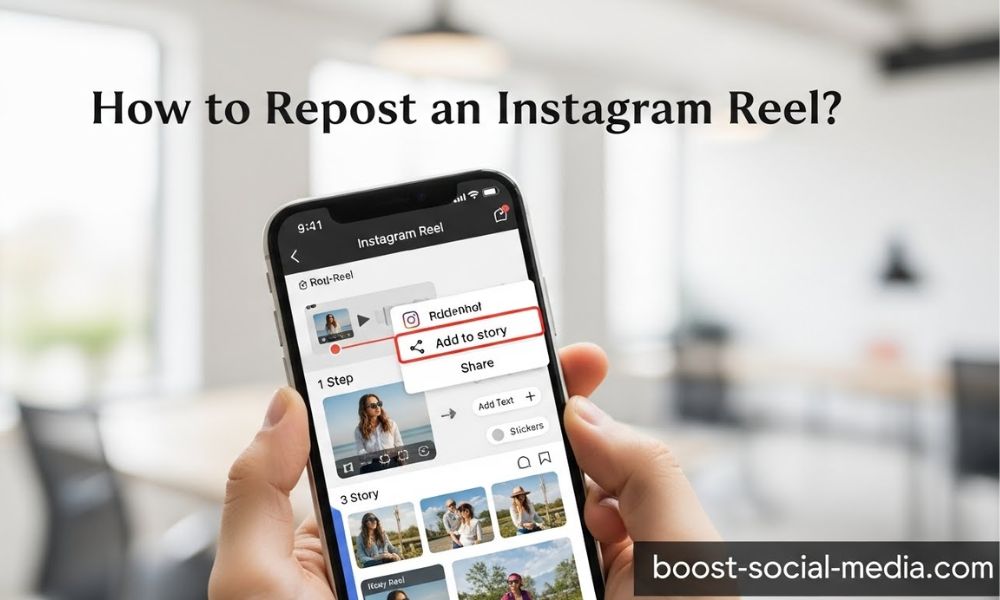
Instagram Reels is a powerful tool for sharing short, engaging videos with your followers. Whether you’re showcasing your own content or want to share someone else’s, reposting Instagram Reels is a great way to boost engagement and build connections. But how exactly do you repost a Reel on Instagram?

In this comprehensive guide, we’ll walk you through the various methods of reposting Instagram Reels, including using Instagram’s native features and third-party apps. We’ll also cover the essential rules of reposting, how to give credit, and some best practices to follow.

Why Reposting Instagram Reels is a Powerful Strategy

Reposting Instagram Reels is not just about sharing content—it’s a strategy to engage your audience, participate in trends, and build relationships with other content creators. Here’s why reposting is beneficial:

Boost Your Engagement and Community

Reposting Reels that resonate with your followers is an excellent way to create interaction. It shows that you’re involved in the Instagram community, whether by sharing viral trends or content that aligns with your interests. Engaging with others in this way can lead to higher visibility for your own content.

Share User-Generated Content (UGC) Effectively

Sharing Reels created by your followers or customers can build a sense of community and foster loyalty. Reposting UGC is a powerful way to show appreciation, increase brand awareness, and encourage more followers to engage with your account.

Collaborate and Participate in Trends

Reposting Reels is also a great way to participate in viral trends and challenges. Whether you’re remixing someone else’s content or sharing a popular hashtag, reposting helps you stay relevant and involved in trending topics.

Important Ground Rules Before You Repost

While reposting Reels can help you grow your audience and build relationships, there are important ground rules to follow to avoid potential issues.

Always Ask for Permission (When in Doubt)

If you want to repost someone else’s content, it’s crucial to ask for permission. Even if the content is public, it’s respectful to reach out to the original creator and ensure they are okay with you reposting it.

How to Give Proper Credit to the Original Creator

Credit is essential when reposting someone else’s Reel. You should always tag the original creator in your caption and video to acknowledge their work. This shows respect and helps avoid issues related to copyright or attribution.

Method 1: Using Instagram’s Native “Add Yours” Sticker

Instagram offers a simple way to share Reels using its native “Add Yours” sticker, especially for trend-based content.

Step 1: Find and Use the “Add Yours” Sticker

When you see a Reel with an “Add Yours” sticker, tap it. This will allow you to participate in the trend and create your own version of the video. The sticker automatically links to the original Reel.

Step 2: Create Your Own Contribution

After tapping the sticker, you’ll be prompted to create your own version of the video. You can either remix the original Reel or upload your own video to add to the thread.

Step 3: Post and Link to the Trend

Once you’re happy with your content, hit “Post,” and your Reel will be shared with your followers while linking back to the original Reel.

Pros and Cons of This Method

Pros:

  • Simple and quick to use
    Allows for trend participation
  • Directly credits the original creator through the sticker

Cons:

  • Limited to trend-based content
  • You can’t repost Reels outside of the sticker’s functionality

Method 2: The Official “Share to Story” & “Remix” Features

Instagram offers two primary methods for reposting Reels directly within the app: Share to Story and Remix.

How to Share a Reel to Your Story (And Then to Your Grid)

To share a Reel to your Story, tap the three-dot menu on the Reel and select “Share to Your Story.” From there, you can add text, stickers, or tags to personalize the content. If you want to repost the Reel to your profile, you’ll need to add it to your Story first, then save it from your Story to your camera roll and upload it to your grid.

How to Use the “Remix” Feature for Collaborative Reels

The “Remix” feature allows you to create a collaborative Reel. When you select “Remix This Reel,” you can record your video alongside the original, creating a split-screen collaboration. This method is ideal for engaging in challenges or creating content together with another user.

Limitations of Instagram’s Built-In Tools

While the Share to Story and Remix features are simple to use, they come with limitations:

  • You can’t repost someone’s Reel directly to your grid without going through your Story.
  • Remixing doesn’t always fit with every type of content.

Method 3: How to Repost a Reel Using a Third-Party App

If you’re looking for more flexibility in how you repost content, third-party apps can help you download and repost Reels with ease. These apps allow you to save Reels directly to your phone and share them as you see fit.

Step 1: Choosing a Reputable Repost App

Some popular third-party repost apps include Repost for Instagram and Regrann. Choose an app that’s well-rated and free of intrusive ads or malware. Always review the app’s privacy policy to ensure your data is safe.

Step 2: Downloading and Sharing the Reel

After installing the app, find the Reel you want to repost, tap the three-dot menu, and select “Copy Link.” Open the third-party app, which should automatically detect the copied link. From there, you can download the Reel to your device and repost it to your Instagram feed or Story.

Step 3: Crafting Your Caption and Giving Credit

Before posting, make sure to add a caption that credits the original creator. You can simply add “Credit: @[username]” or tag them directly in the video. This is crucial to respect copyright and attribution.

Safety Tips for Using Third-Party Apps

While third-party apps provide flexibility, ensure you’re downloading them from trusted sources like the Google Play Store or Apple App Store. Avoid apps that ask for unnecessary permissions or seem suspicious.

How to Repost Your OWN Instagram Reels

It’s not just about reposting other people’s content you might also want to repost your own Reels. This can be a great way to keep your content visible to followers who may have missed it the first time.

Why You Might Want to Repost Your Content

Reposting your own Reels can help breathe new life into older content. If a Reel performed well in the past but hasn’t been seen by new followers, reposting it can help you extend its reach and engagement.

Using the “Add to Profile Grid” Trick from Your Archive

If you want to repost an old Reel, you can go to your profile, tap the three lines, and navigate to your archive. Find the Reel you want to repost, tap the three dots, and select “Show on Profile.” This will re-add the Reel to your profile grid without needing to repost it manually.

Troubleshooting: Common Reposting Problems & Fixes

Sometimes, reposting a Reel might not go as smoothly as planned. Here are some common issues and how to fix them.

Why Don’t I See a Share Button on a Reel?

If you don’t see a share button on a Reel, the creator may have disabled sharing for that video, or their account may be set to private. You can try asking for permission to repost or simply share their content in another way.

The Reel Won’t Download or Share

If a Reel doesn’t download or share properly, ensure your internet connection is stable and that you’ve followed the correct steps. In some cases, third-party apps may experience issues with specific videos, so try a different app or method.

How to Handle a Takedown Request

If the original creator requests that you take down a reposted Reel, it’s essential to comply with their request to avoid copyright violations. Instagram provides an easy way to remove reposted content.

Best Practices for Reposting Reels Like a Pro

To repost Reels effectively and professionally, follow these best practices:

Add Your Own Unique Commentary

Don’t just repost a Reel add your own thoughts or commentary to make it relevant to your audience. This helps make the post feel more authentic and engaging.

Tag the Original Creator in the Video and Caption

Always tag the creator in both the caption and the video itself. This ensures they receive proper credit for their work.

Repost Content That Aligns With Your Brand

Be selective about what you repost. Only share content that aligns with your brand values or resonates with your followers. This keeps your feed focused and relevant.

Don’t Overdo It | Maintain a Balance

Reposting can be an effective strategy, but don’t overdo it. Ensure that your profile still contains original content and doesn’t just become a feed of reposted Reels.

FAQs

Can you repost an Instagram Reel directly to your grid?

No, Instagram doesn’t have a direct “repost to grid” button. However, you can share the Reel to your Story first and then save it to your camera roll before uploading it to your grid. Alternatively, you can use third-party apps to repost directly to your feed.

Is it legal to repost someone’s Instagram Reel?

Reposting someone’s Reel without permission can infringe on their copyright. Always ask for permission and credit the original creator to stay on the right side of Instagram’s terms of service.

What’s the difference between Remix and Repost on Instagram Reels?

The “Remix” feature allows you to create a split-screen collaborative video with the original Reel, while reposting simply means sharing the original video with your audience without modifying it.

Why can’t I share someone’s Reel to my Story?

If the creator has a private account or has disabled sharing on their Reel, you won’t be able to share it. In such cases, you’ll need to ask for permission to repost their content.

What is the best app to repost Instagram Reels?

Apps like Repost for Instagram and Regrann are widely used for reposting Reels. They’re easy to use and ensure proper attribution to the original creator.

How do I give credit when reposting a Reel?

To give credit, simply tag the original creator in the video and caption. A good format is: “Credit: @[username].” Be sure to mention them clearly and always ask for permission first.

Can reposting Reels get you in trouble or banned?

Reposting Reels without permission or failing to credit the original creator can lead to issues like copyright strikes. Always follow Instagram’s guidelines to minimize the risk.

We are gathering the necessary information...